Cabling the Modular Switch
supervisors. Refer to the chassis specification in Figure 21: DCS 7808 Supervisor Slots for additional
information about the serial port.
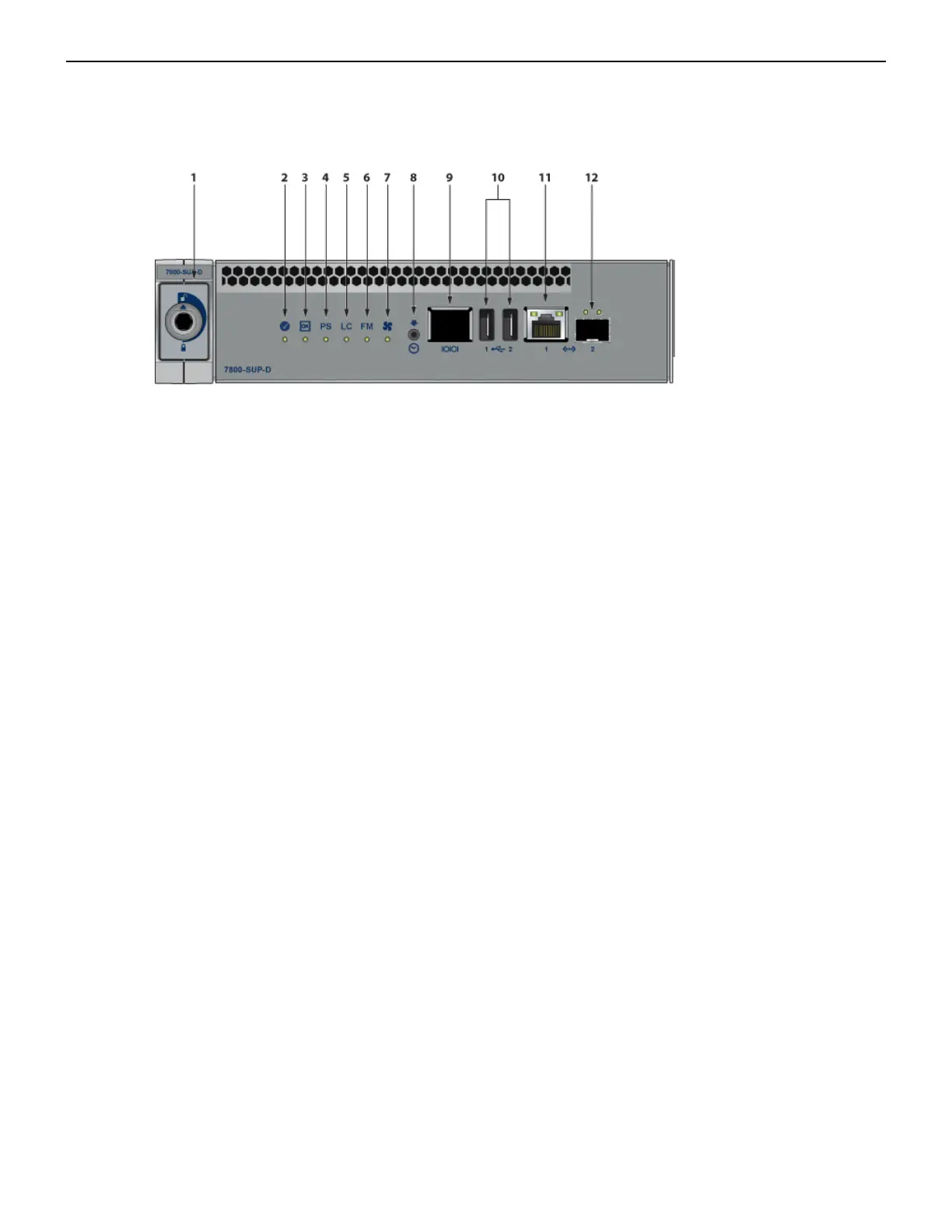
Figure 20: Supervisor DCS-7800-SUP, DCS-7800-SUP1A, and DCS-7816-SUP
1 Locking mechanism 5 Line card status LED 9 RJ-45 Serial management port
2 Supervisor status LED 6 Fabric Module status LED 10 USB Ports
3 Supervisor active status LED 7 Fan status LED 11 RJ-45 Ethernet management
port
4 PSU status LED 8 Clock In 12 SFP Ethernet management port
• Console (Serial) Port: Connect to a PC with RJ-45 to DB-9 serial adapter cable. Default switch
settings include:
• 9600 baud
• No flow control
• 1 stop bit
• No parity bits
• 8 data bits
33



 To Next Page