28
COMMON BUTTONS
EXITING SCREEN
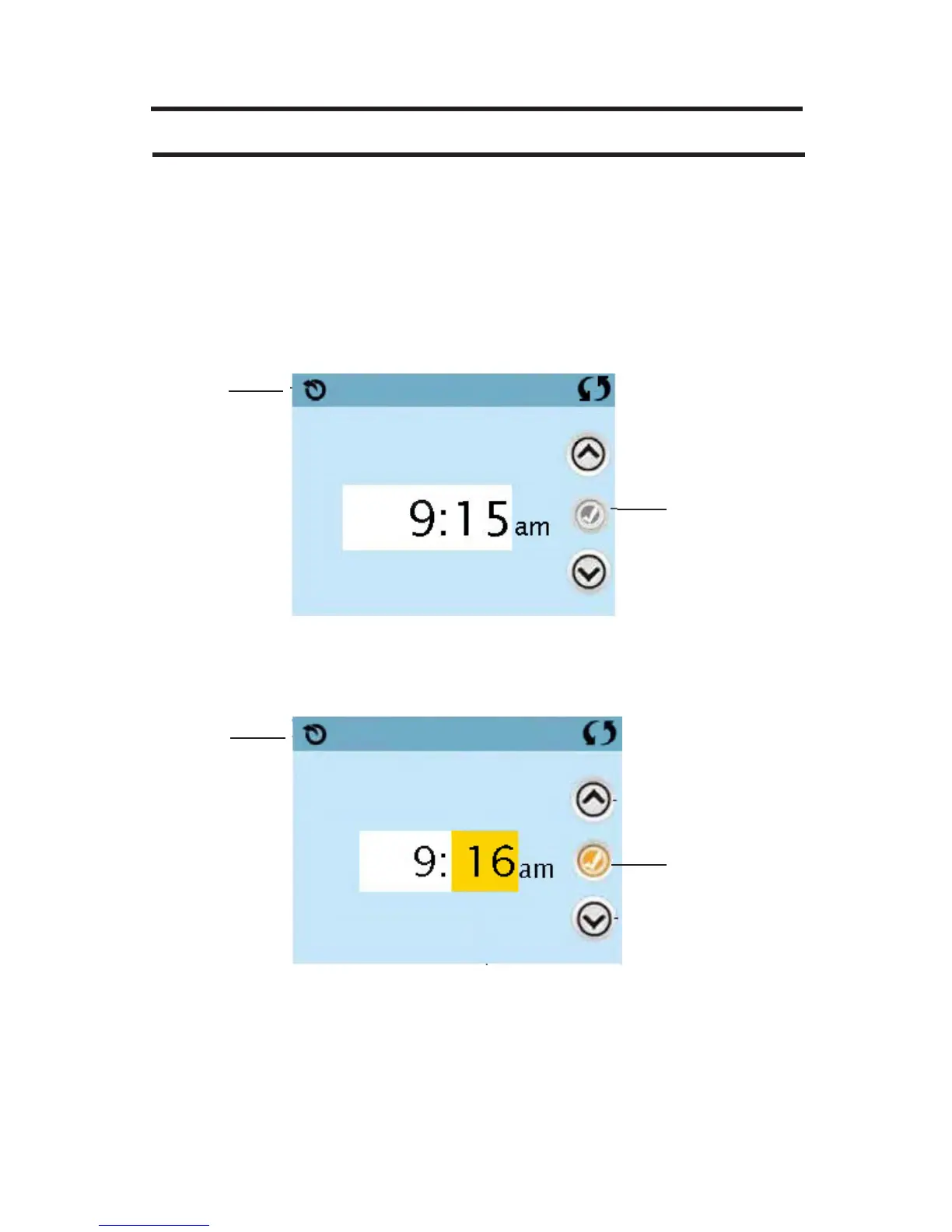
The Back button is on every screen except the Main Screen, the Priming
Mode Screen are a Message Display Screen.
When you see only this button, or this button plus an Inactive Save But-
ton, it means Back or Exit. It appears on editing screens before you have
changed any value, as well as on all other screens.
When you see both the Back button and an Active Save button, the Save
button will Save, while the Back button will Cancel.
If the screen times out due to no activity it will act like Cancel.
Inactive
Save Button
Back
Back
Functions as
Cancel
Active
Save Button
Time of Day
Time of Day







 To Next Page