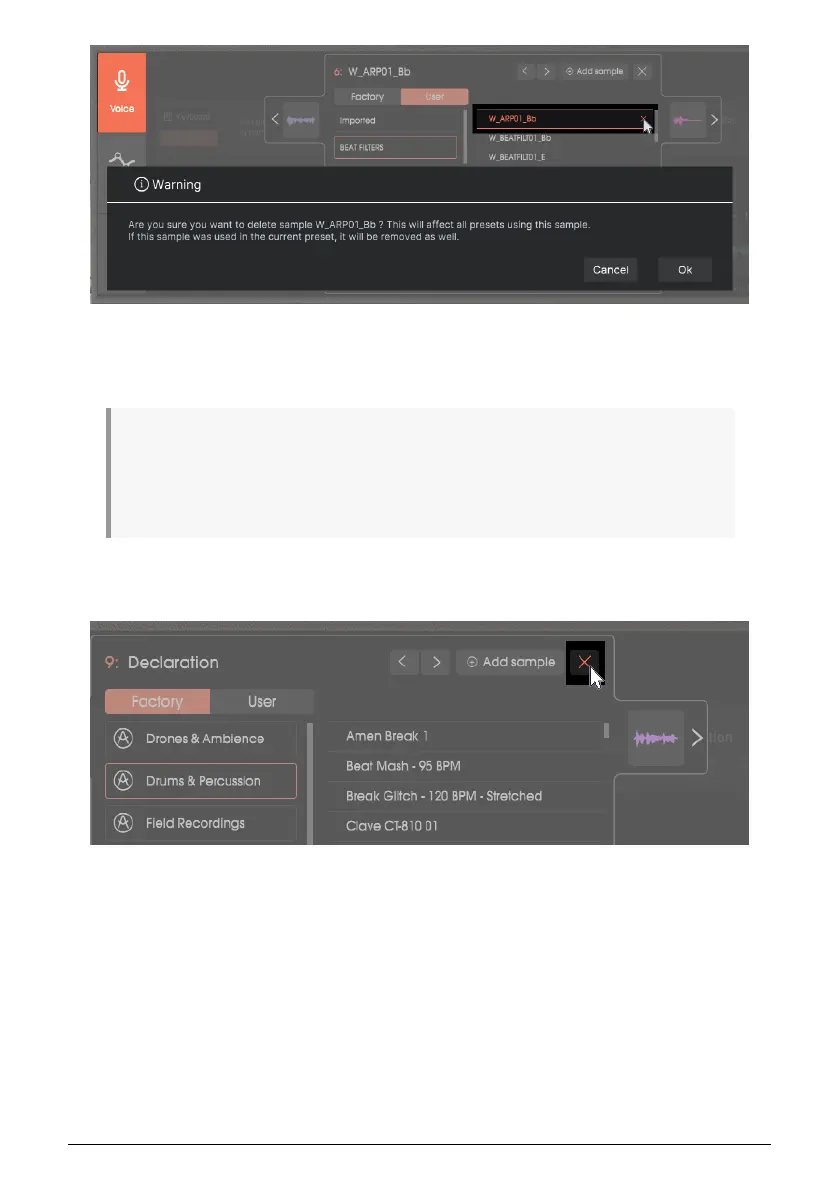
With the Sample visible and selected, click on the close box to the right of the sample name.
You will be warned that this will delete your sample not just from the current Preset, but
from the Library—so if you use this sample in other Presets, don’t delete it.
♪: For Windows, samples are saved in the file path C:\ProgramData\Arturia\Samples\Vocoder V\
User. For Mac, the path is /Library/Arturia/Samples/Vocoder V/. This is not part of the Vocoder V
program, so if a problem happens like a hard drive crash and you need to re-install Vocoder V, these
files will not re-appear when you re-install Vocoder V. Back these up separately to make sure you can
access them in the future.
Close the Sample Library
Click on the Library’s close box, or any other buttons on the user interface outside of the
Library window.
32 Arturia - User Manual Vocoder V - Voice page












 To Next Page