Operation
32 182099015-V01-10.Juni2013-GA-MCL31-THAI
Tip
Note that
only the useful modes can be activated for a specific handpiece. That means that
not all modes can be set for each handpiece.
most of the parameters technically depend on each other. That means that, for
example, the highest fluence is not simultaneously possible with the shortest pulse
duration.
The spot size is changed by turning the ring at the handpieces and is recognized automatically by
the device and displayed.
In addition to the parameters selected, the device status [STANDBY or READY] and, if
applicable, plain-text fault messages are displayed.
Furthermore, the pulse energy, currently emitted number of pulses and total number of pulses are
also indicated (see chapter 5.2.2 Special function/Tools).
The laser is fired by pressing the foot switch.
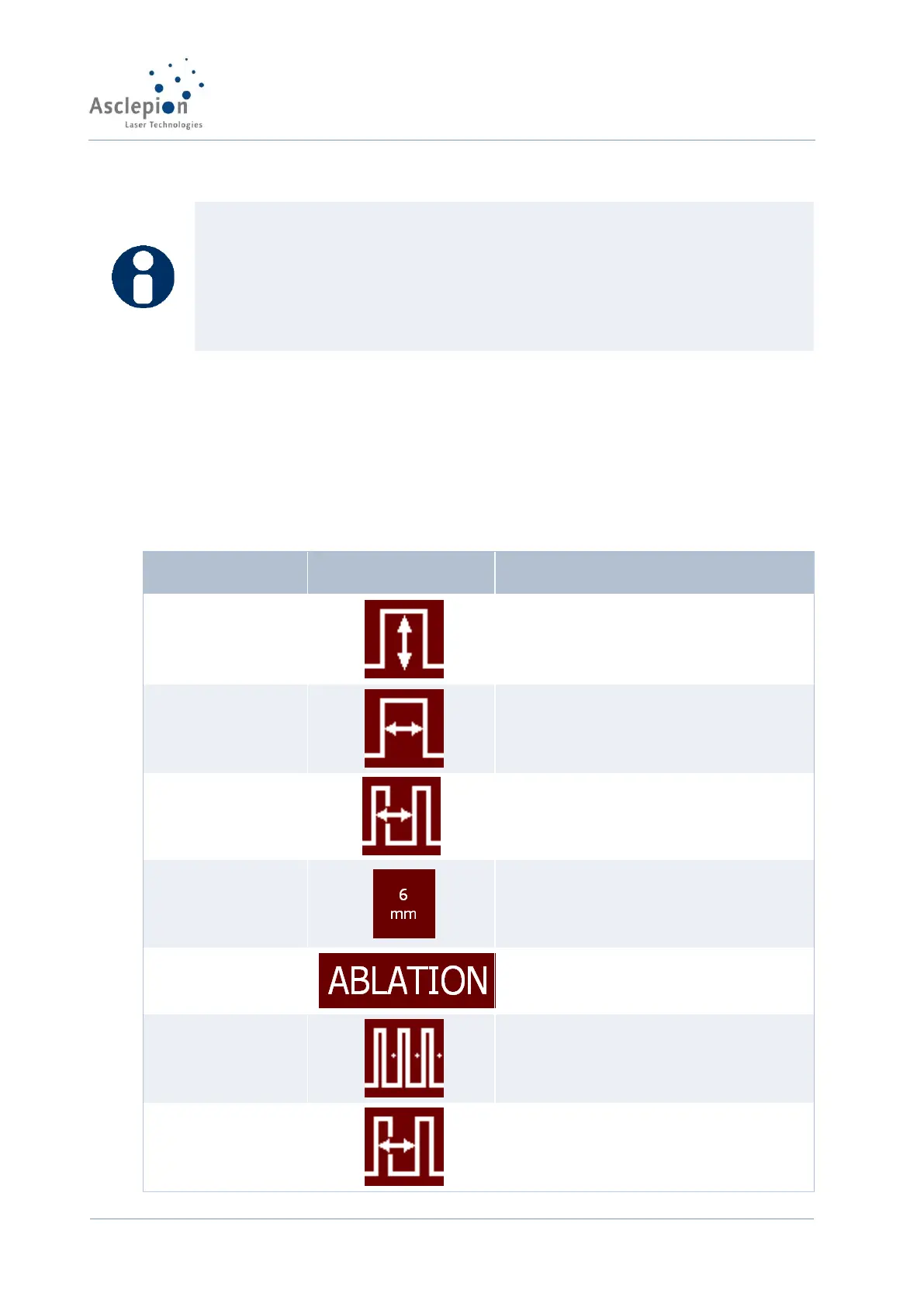
5.2.1 Parameters
Fluence adjustment
(total fluence in Burst mode)
Pulse length adjustment
(pulse duration)
Treatment speed adjustment
(pulse frequency)
Spot size
(Info line, left)
Information about the handpiece
spot size
Operating mode (ablation, thermal
mode, fractional mode)
Only in Thermal mode: adjustment
of the interval between the pulse
trains


 To Next Page