Operation
182099015-V01-10.Juni2013-GA-MCL31-THAI 35
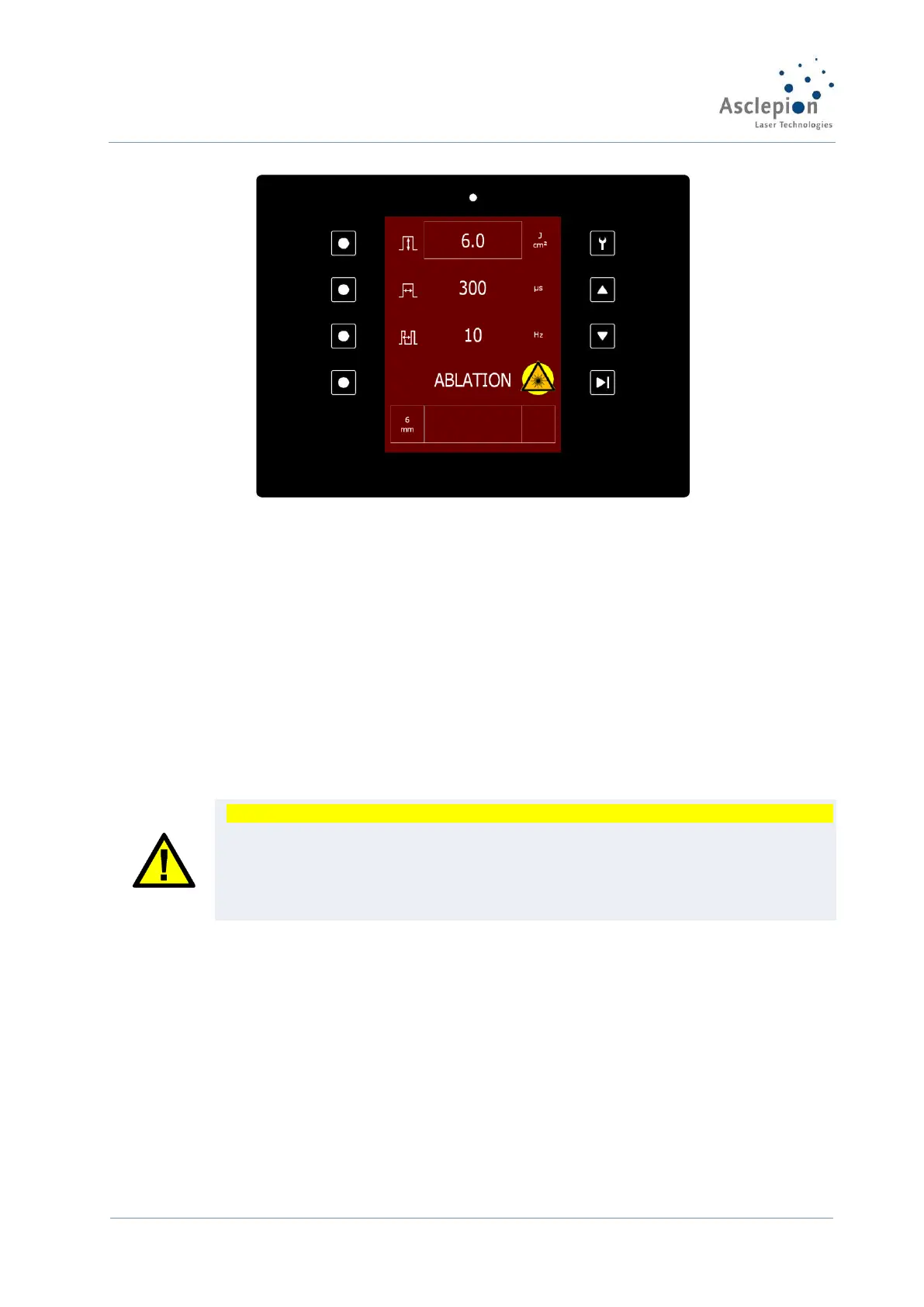
Figure 28: READY mode of the Laser
If the footswitch is pressed, laser radiation is released from the laser tip of the handpiece.
Releasing the foot switch instantly stops the laser radiation emission.
L Laser radiation emission is indicated acoustically by a warning beep and optically by the green
blinking laser emission indicator on the display.
Parameters can be changed in the READY mode; the device will not automatically switch to
STANDBY.
The MCL 31 Dermablate is equipped with a user-friendly Laser emergency STOP that is located
on the front panel of the device (see Figure 5: ). In an emergency, the laser is disabled
immediately by holding this key down and thus any laser danger for the user and patient is
removed.
When the emergency problem has been solved, restore the functionality of the device by slightly
turning the Laser STOP switch manually anticlockwise to its normal position.
CAUTION
If during lasing the symbols ‘‘ or ‘‘, appear in the Fluence field, the device has
detected a deviation of the output values higher or lower than 20%.
Higher values can cause undesired side effects, whereas lower values can reduce the
effect of the treatment.
If this deviation continues inform the Engineering Department.
If you have finished the treatment, switch the laser to the safe STANDBY mode by pressing the
READY/STANDBY key again.
If you intend to interrupt the treatment for some time, switch the laser to the STANDBY mode,
too. In this mode, it is impossible to release laser emission unintentionally.
After a longer period of inactivity in the READY mode, the device switches automatically to
STANDBY mode.
5.2.4 Changing the handpiece
The handpiece will usually be changed with the device switched off. Make sure the suction tubes
are connected properly.
5.2.5 Switching off the device
Exit the READY mode and switch to STANDBY mode by pressing the STANDBY/READY-key.


 To Next Page