Conguring the Unit via its Web Interface
System
ENC 1201 Version 1.0 Page 26
DanteChannelsPerFlow
Dante uses so-called “ows” for transmitting data to other Dante devices. By default, each
ow contains 4 channels. The reason for using ows is that this makes it easier to opti-
mize network trac.
This parameter allows you to set the maximum number of channels (1~4) per ow.
DanteSamplingRate(Hz)
This parameter allows you to set the sample rate. The Dante network supports the usage
of several concurrent sample rates. The following settings are available:
44.1kHz 48kHz 88.2kHz
96kHz 176.4kHz 192kHz
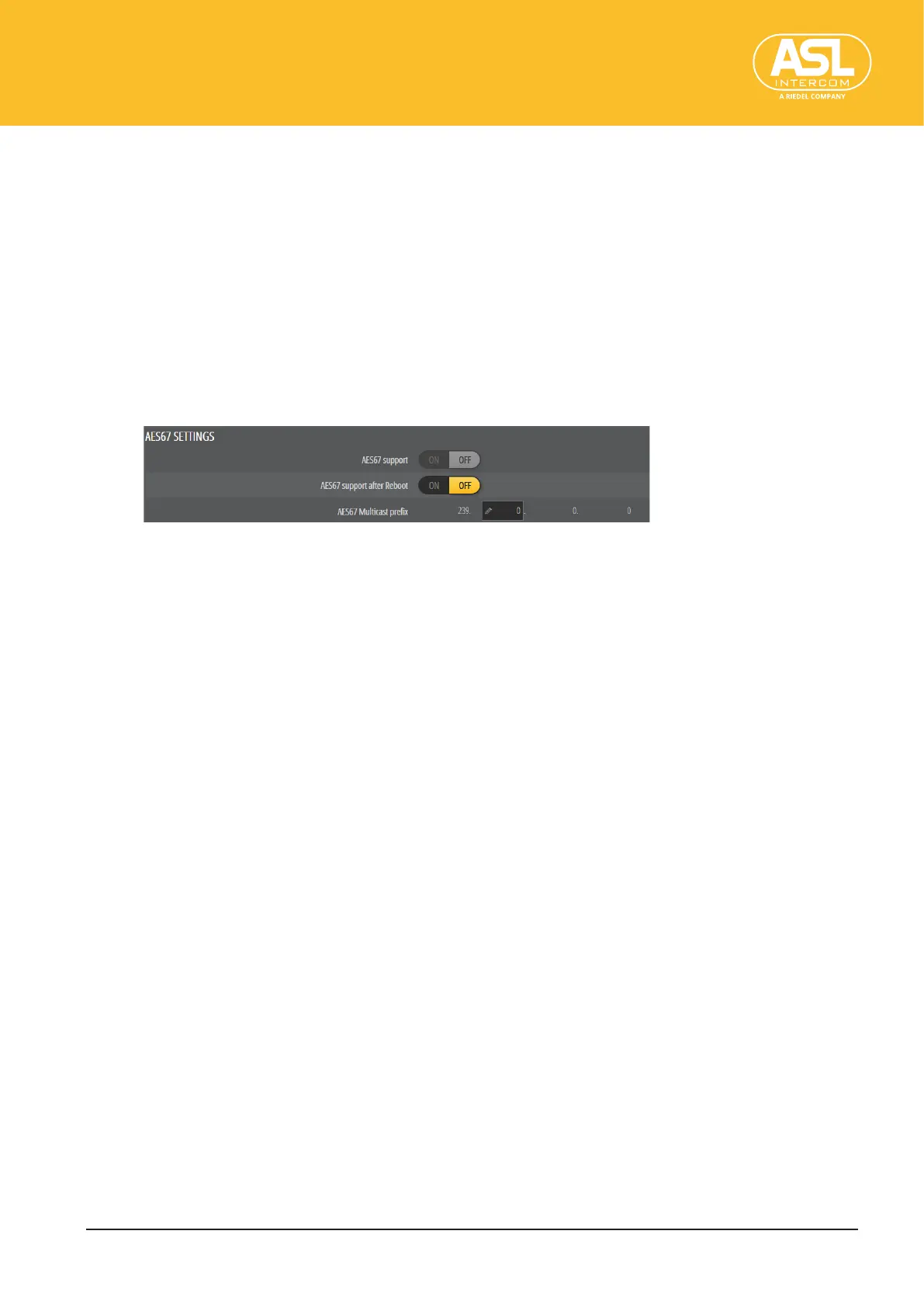
AES67 SETTINGS
AES67 support
AES67 is a standard for audio-over-IP interoperability. Devices in AES67 mode are able to
transmit and receive AES67 multicast ows to/from non-Dante AES67-enabled devices.
Between Dante devices, Dante‘s native audio transport protocol is used even when AES67
is enabled for both devices.
This is where you can check whether the ENC 1201’s AES67 mode is active or not. This can
be set with the next parameter.
AES67 support after Reboot
This is where you can activate, or deactivate, the ENC 1201’s AES67 mode.
After changing this setting, remember to save your conguration (see “Save Cong”,
p.17) and to reboot the unit.
AES67Multicastprex
This is where you can select a multicast subnet.
This may be necessary to allow exchanging data ows with devices that only operate
within a restricted address space.


 To Next Page