4-22
Chapter 4: BIOS Setup
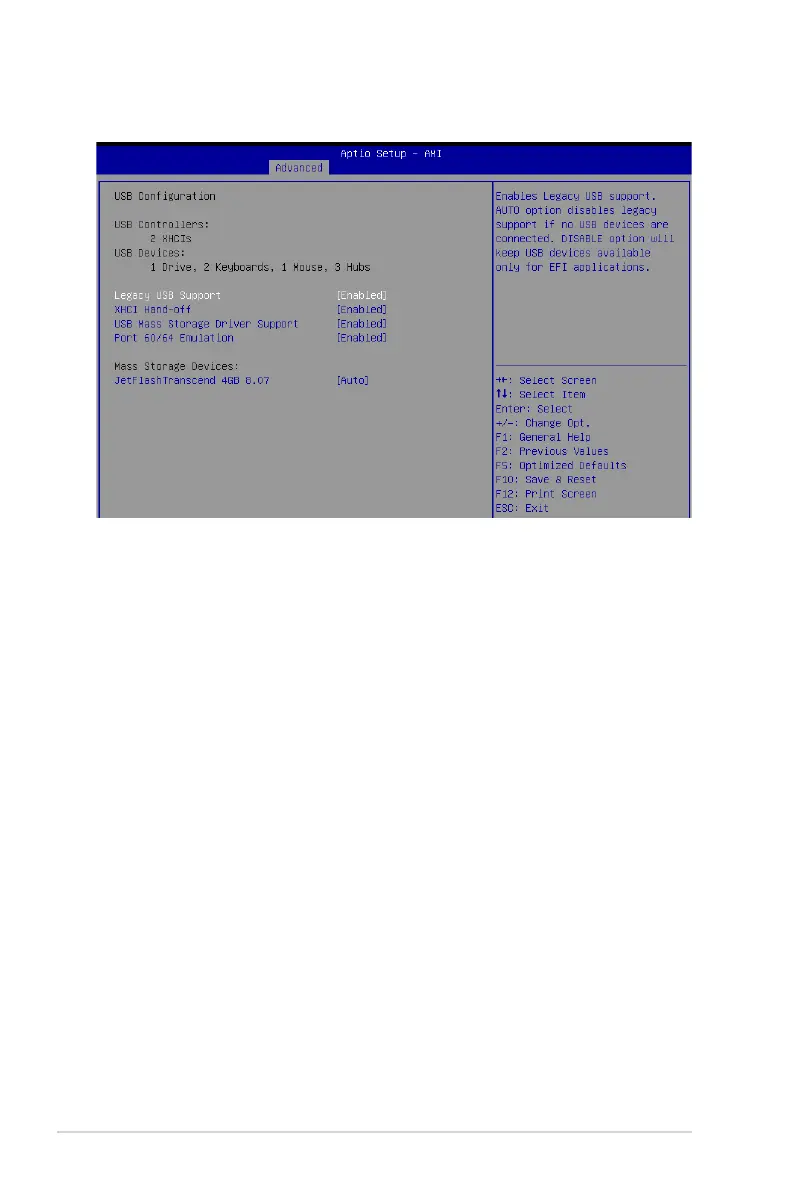
4.5.7 USB Configuration
Legacy USB Support [Enabled]
Allows you to enable or disable Legacy USB device support.
Configuration options: [Enabled] [Disabled] [Auto]
XHCI Hand-off [Enabled]
Allows you to enable or disable workaround for OSes without XHCI hand-off support. The
XHCI ownership change should be claimed by XHCI driver.
Configuration options: [Enabled] [Disabled]
USB Mass Storage Driver Support [Enabled]
Allows you to enable or disable the USB Mass Storage driver support.
Configuration options: [Disabled] [Enabled]
Port 60/64 Emulation [Enabled]
Allows you to enable or disable I/O port 60h/64h emulation support. This should be enabled
for the complete keyboard legacy support for non-USB aware OSes.
Configuration options: [Disabled] [Enabled]
Mass Storage Devices
Allows you to select the mass storage device emulation type for devices connected.
Configuration options: [Auto] [Floppy] [Forced FDD] [Hard Disk] [CD-ROM]














 To Next Page