Chapter 2: Hardware Setup
2-54
2.13 Motherboard
2.13.1 Removing the motherboard
To remove the system motherboard:
1. Disconnect the cables from the motherboard and remove any installed components on
the motherboard.
Take a photo or make a note of which components are removed, which cables are
disconnected, and which connectors the cables were connected to.
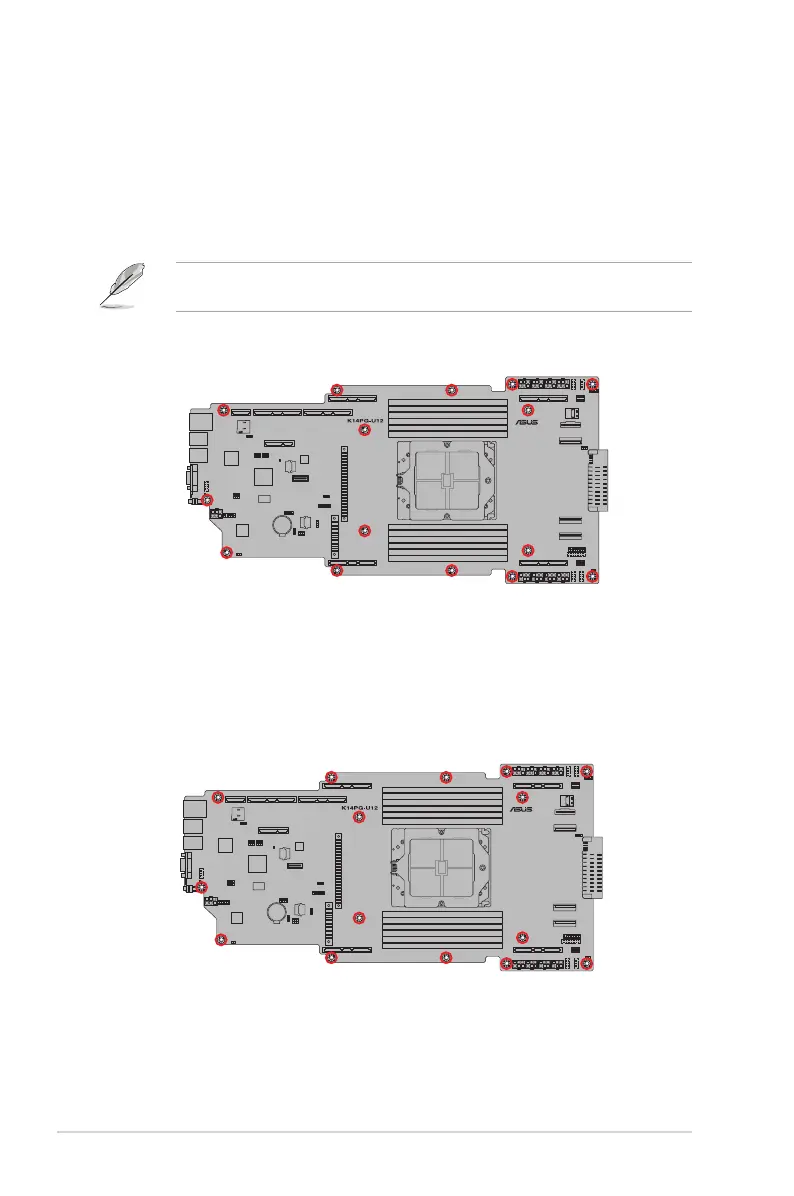
2. Remove the screws, then remove the motherboard.
2.13.2 Installing the motherboard
To install the system motherboard:
1. Place the motherboard into the chassis and ensure the screw holes on the motherboard
are aligned with the screw holes in the chassis, then secure the motherboard to the
chassis using the screws removed previously.
2. Reinstall any removed components and reconnect the cables to the motherboard.














 To Next Page