Chapter 2: Hardware Setup
2-12
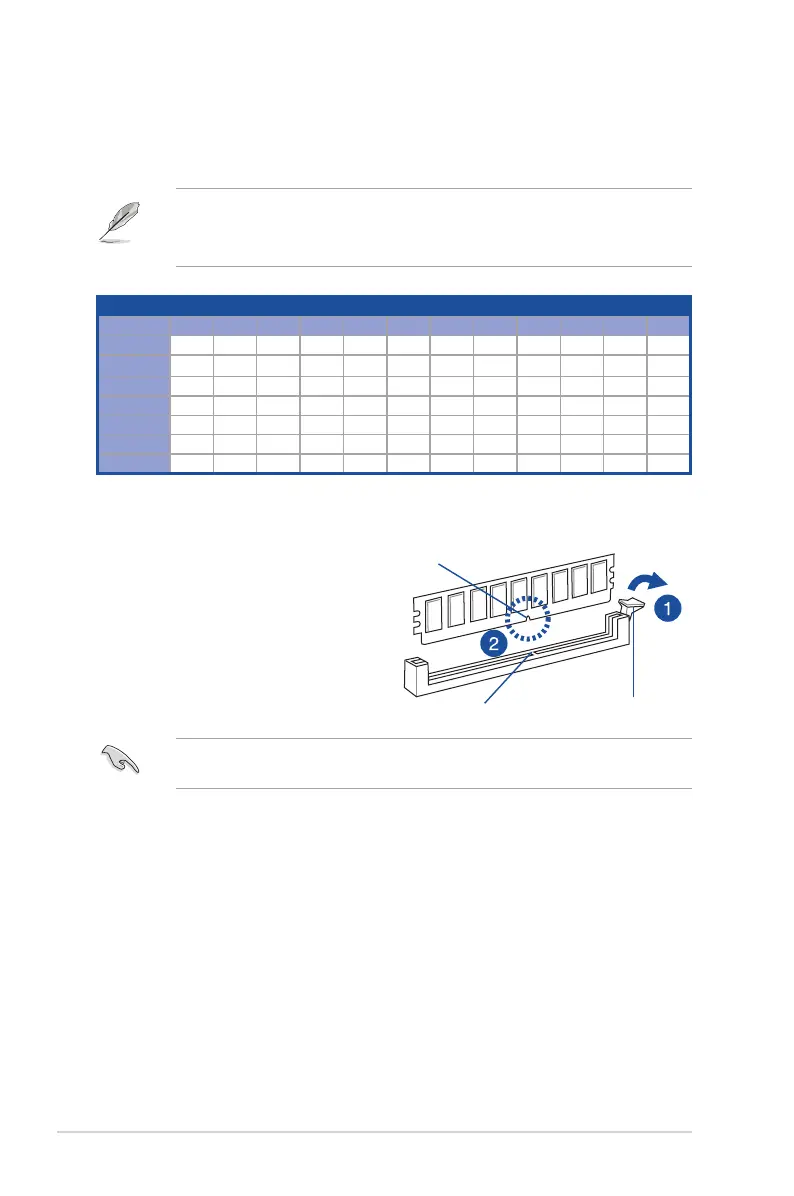
Installing a DIMM on a single clip DIMM socket
1. Press the retaining clip outward to
unlock a DIMM socket.
2. Align a DIMM on the socket such that
the notch on the DIMM matches the
DIMM slot key on the socket.
Unlocked retaining clip
DIMM notch
DIMM slot key
A DIMM is keyed with a notch so that it fits in only one direction. DO NOT force a DIMM into
a socket in the wrong direction to avoid damaging the DIMM.
2.3.2 Memory Configurations
You may install 16 GB, 32 GB, 64 GB DDR5 RDIMM / 128 GB, 256 GB DDR5 3DS RDIMM
into the DIMM sockets using the memory configurations in this section.
• Refer to ASUS Server AVL for the updated list of compatible DIMMs.
• Always install DIMMs with the same CAS latency. For optimum compatibility, it is
recommended that you obtain memory modules from the same vendor.
1 CPU Configuration
A1 B1 C1 D1 E1 F1 G1 H1 I1 J1 K1 L1
1 DIMM •
2 DIMMs • •
4 DIMMs • • • •
6 DIMMs • • • • • •
8 DIMMs • • • • • • • •
10 DIMMs • • • • • • • • • •
12 DIMMs • • • • • • • • • • • •














 To Next Page