2-45
ASUS ESC4000A-E12
2.10 Installing a GPU
Follow the steps below to install a GPU card to the system.
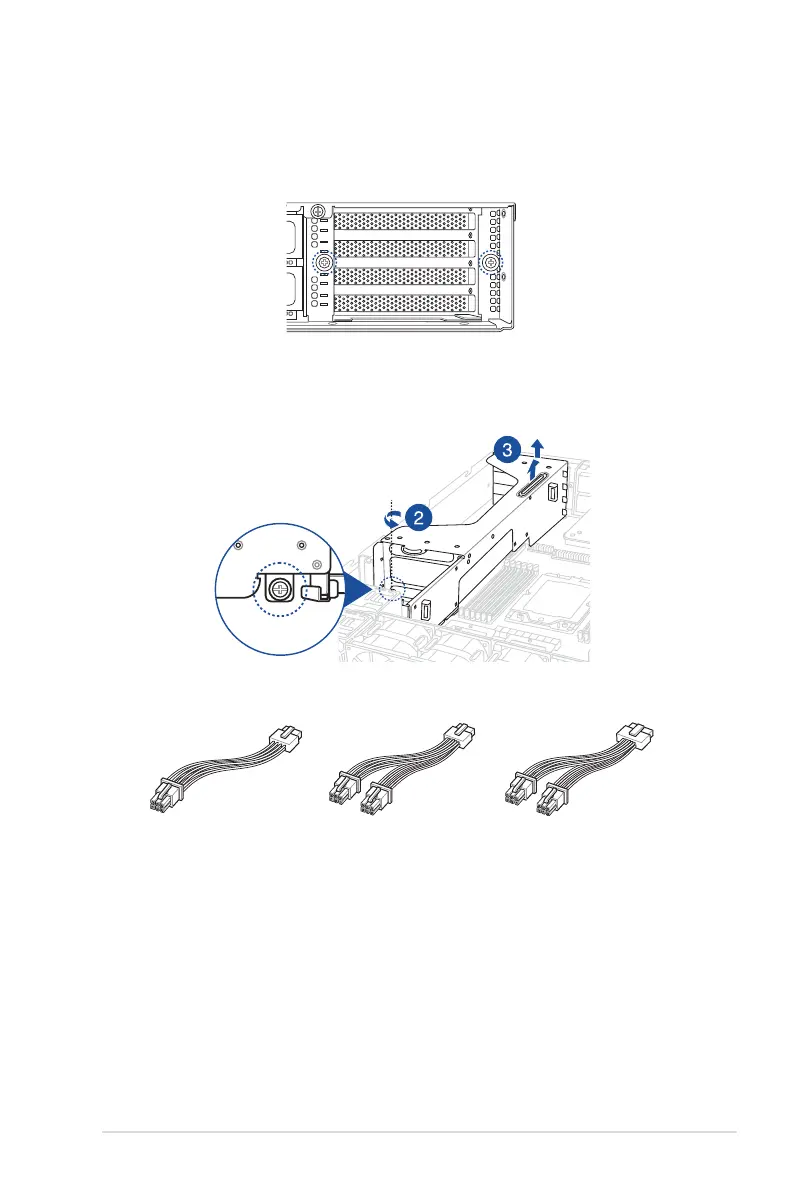
1. Locate and loosen the two thumbscrews at the rear of the chassis.
2. Locate and loosen the thumbscrew at the front of the GPU bracket.
3. Firmly hold and pull the GPU bracket upwards to detach it from the motherboard.
4. Prepare the appropriate GPU power cable depending on the type of GPU card.
Tesla/AMD
8pin to 6pin power cable
Quadro
8pin to 2x6pin power cable
12VHPWR
12+4pin to 2x6pin power cable














 To Next Page