2-37
ASUS ESC4000A-E12
2.5.6 (optional) Installing the PFR module
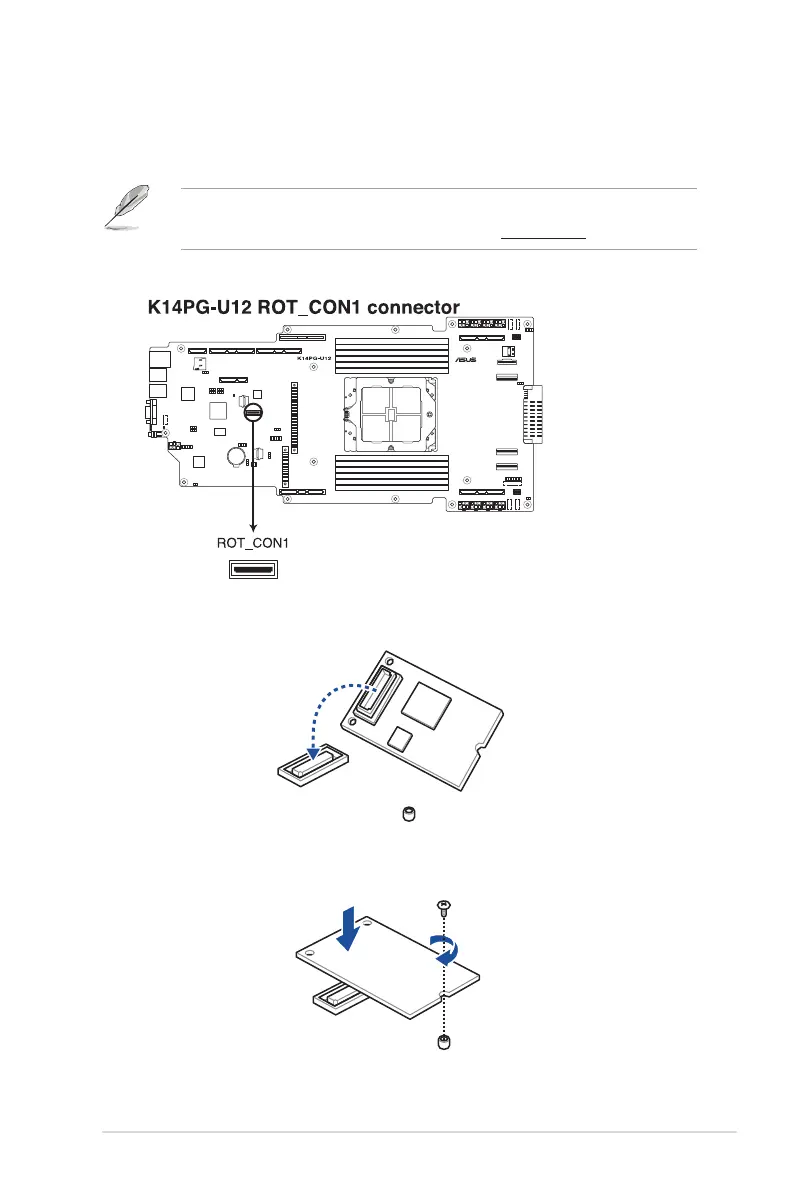
The optional PFR module will come pre-installed on your system and is connected to the PFR
module connector on your motherboard.
• The illustration below is for reference only.
• For more information or assistance, please refer to www.asus.com.
1. Locate the PFR module connector on your motherboard.
2. Align and connect the PFR module to the PFR module connector.
3. Push the PFR module down so that it is seated securely on the PFR module connector,
then secure it using a screw.














 To Next Page