Chapter 2: Hardware Setup
2-36
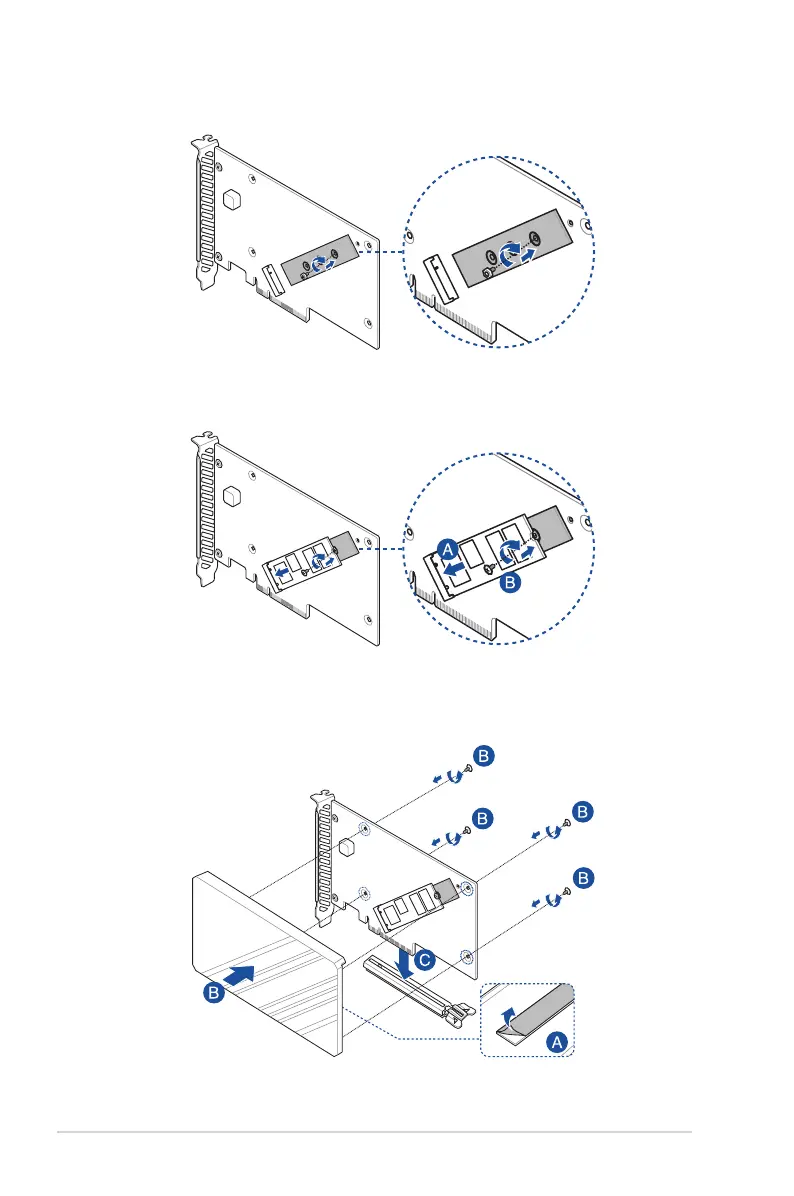
3. Secure the bundled stand screw onto the PCIe 5.0 M.2 card.
4. Install the M.2 storage device into the onboard M.2 slot (A), then secure the M.2
storage device with the bundled screw (B).
5. Peel the plastic film off the thermal pad on the heatsink (A), secure the cover onto the
PCIe 5.0 M.2 card with the cover screws that you removed earlier (B), then install the
PCIe 5.0 M.2 card into the PCIe slot on the rear riser card.














 To Next Page