2-9
ASUS ESC4000A-E12
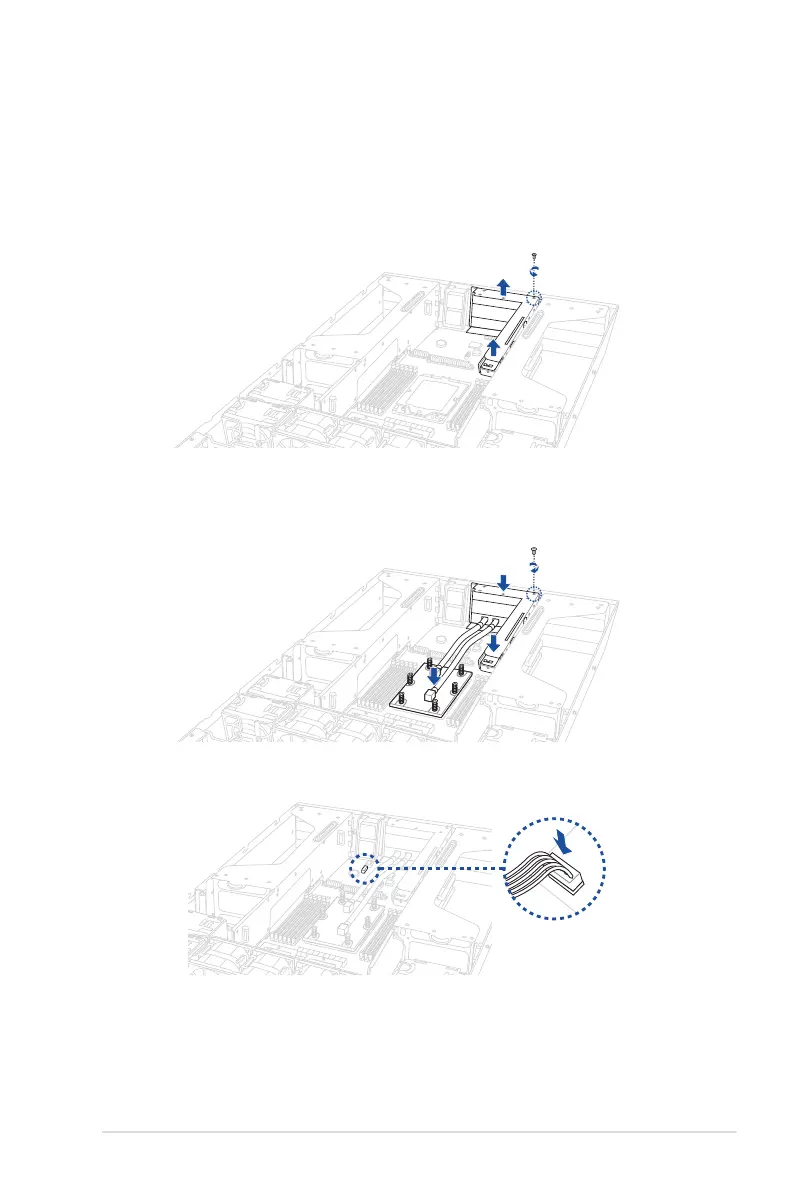
2.2.2 Installing the CPU and liquid cooling module
1. Refer to steps 1 to 8 in the previous section to install the CPU.
2. Remove the screw securing the PCIe riser card to the chassis.
3. Firmly hold the riser card, then pull it up to detach it from the PCIe slot on the
motherboard.
4. Align and place the liquid cooling module assembly in the correct orientation as shown
in the illustration below, then secure the PCIe riser card with the screw you removed
earlier.
5. Connect the leak detection sensor cable to
LIQUID_CONN1
on the motherboard.














 To Next Page