Chapter 2: Hardware Setup
2-8
11. Reinstall the air ducts. For more information, refer to the
Air ducts
section.
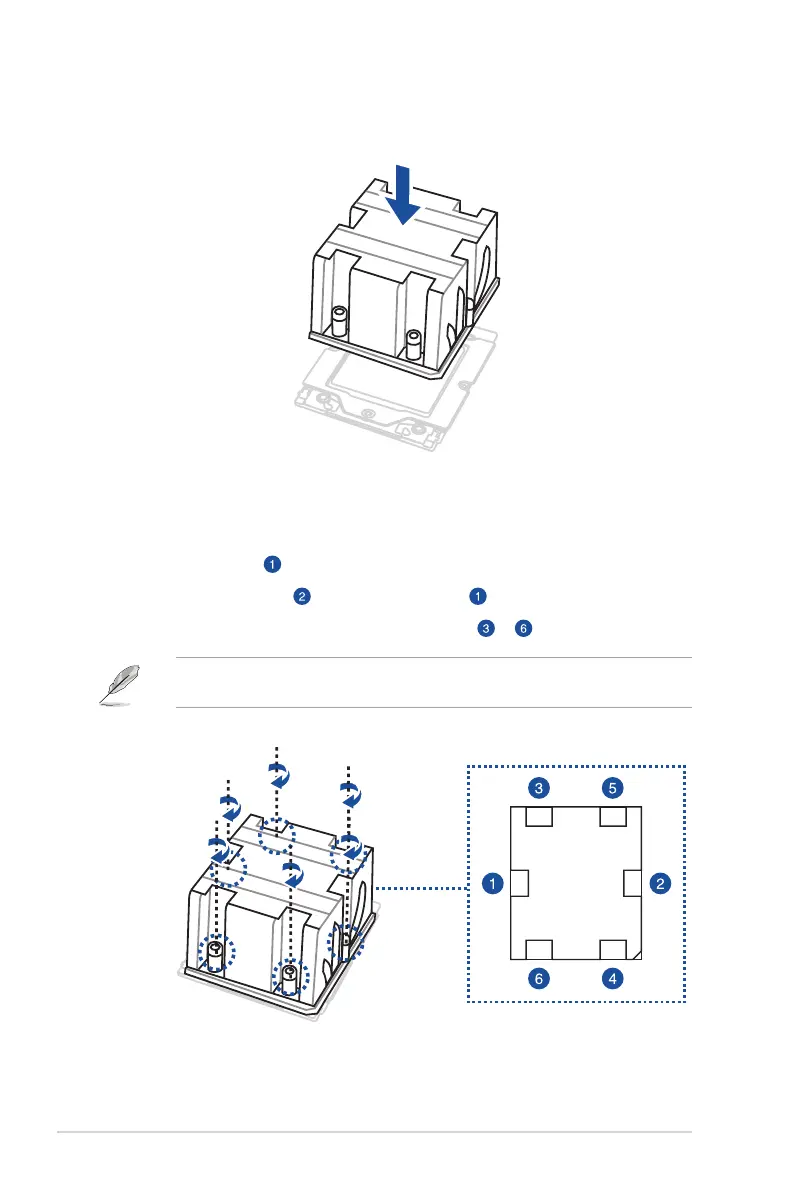
9. Place the heatsink on the CPU socket and make sure the heatsink screws are aligned
with the CPU socket.
10. The below instructions must be followed when securing the heatsink to the
motherboard. The order in which the screws should be tightened is shown both in the
illustration below and on the heatsink.
A. Tighten screw just enough to attach the heatsink to the motherboard.
B. Fully tighten screw , then fully tighten screw .
C. Fully tighten the remaining screws in order from to
The heatsink screws are T20 models. A torque value of 12.5±2.5kg-cm (11.0±2.1 lbf-in) is
recommended.














 To Next Page