2-49
ASUS ESC4000A-E12
2.11 Installing a GPU liquid cooling module
Follow the steps below to install an optional liquid cooling module for supported GPU cards.
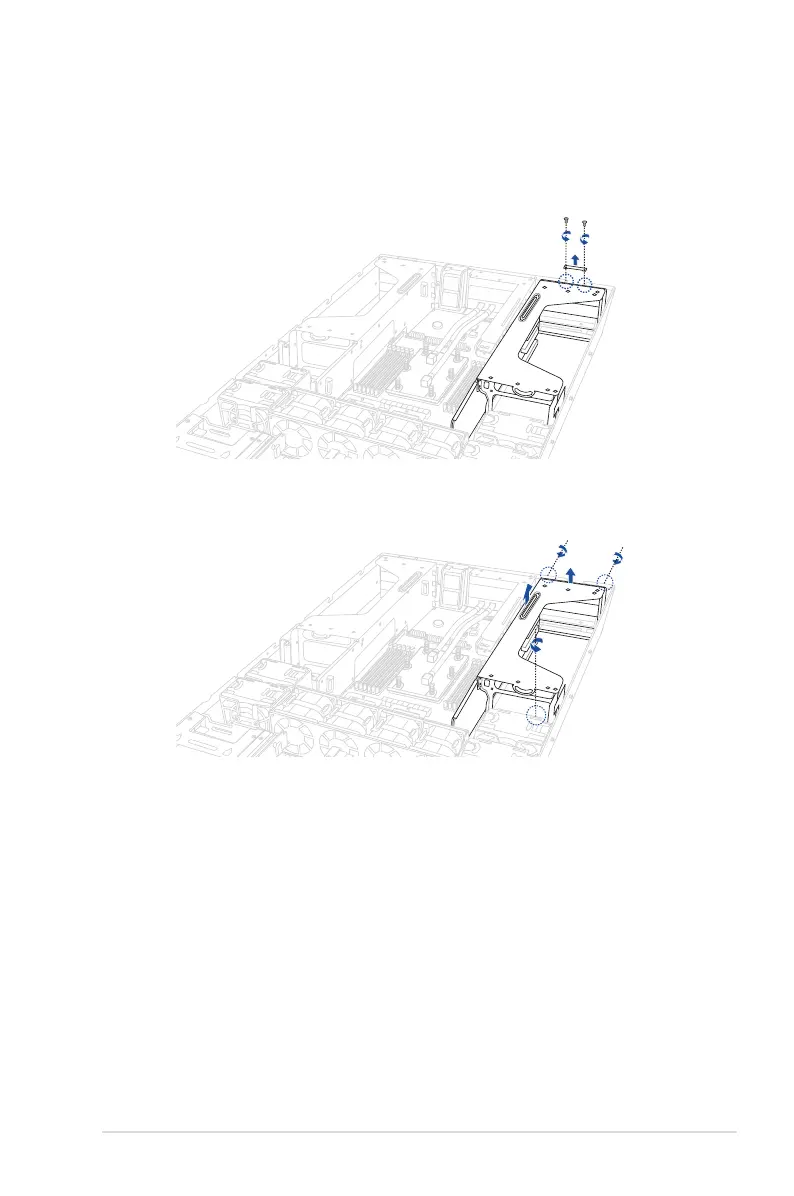
1. Remove the two screws, then remove the metal cover from the rear of the GPU
bracket.
2. Locate and loosen the three thumbscrews, then firmly hold and pull the GPU bracket
upwards to detach it from the motherboard.














 To Next Page