Chapter 2: Hardware Setup
2-48
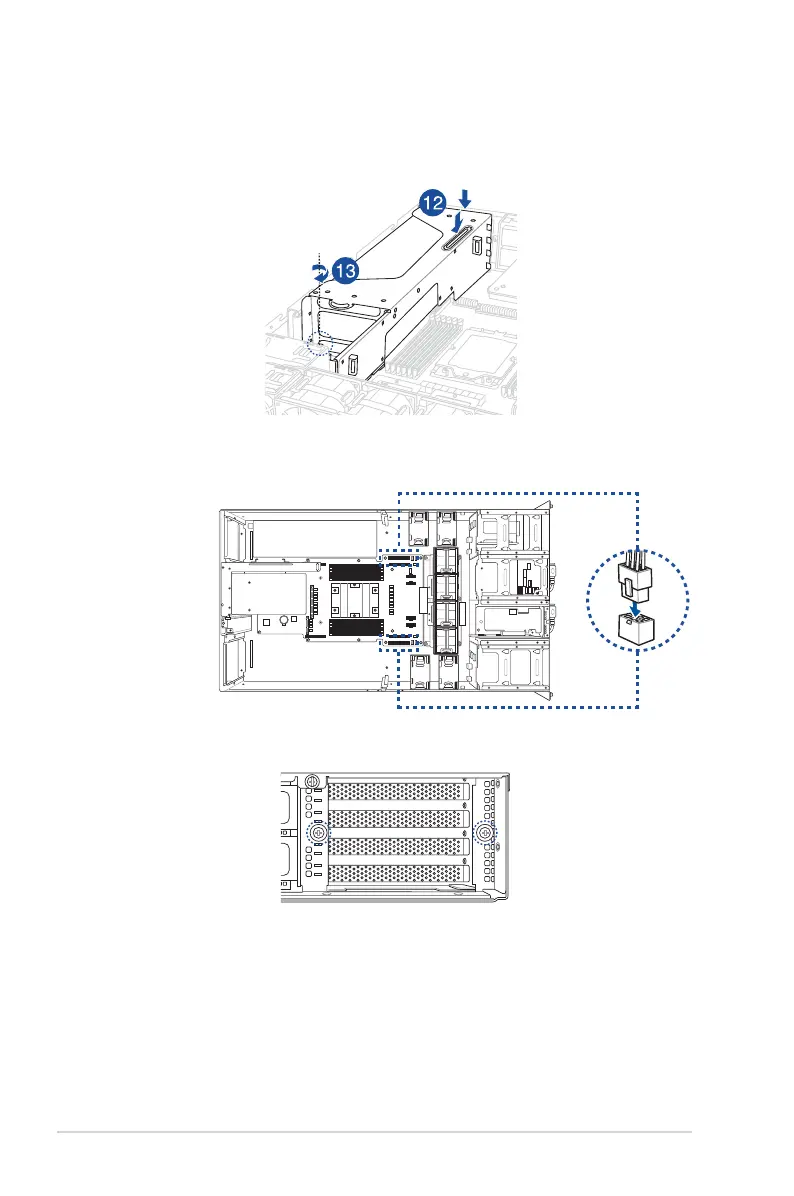
12. Align and insert the golden fingers of the GPU bracket into the card slot on the
motherboard and ensure that it is securely seated in the slot.
13. Secure the thumbscrew at the front of the GPU bracket.
14. Connect the other end of the GPU power cable to an available 6-pin power connector
in front of the GPU bracket.
15. Secure the two thumbscrews at the rear of the chassis.














 To Next Page