2-43
ASUS ESC4000A-E12
2.9 Redundant power supply units
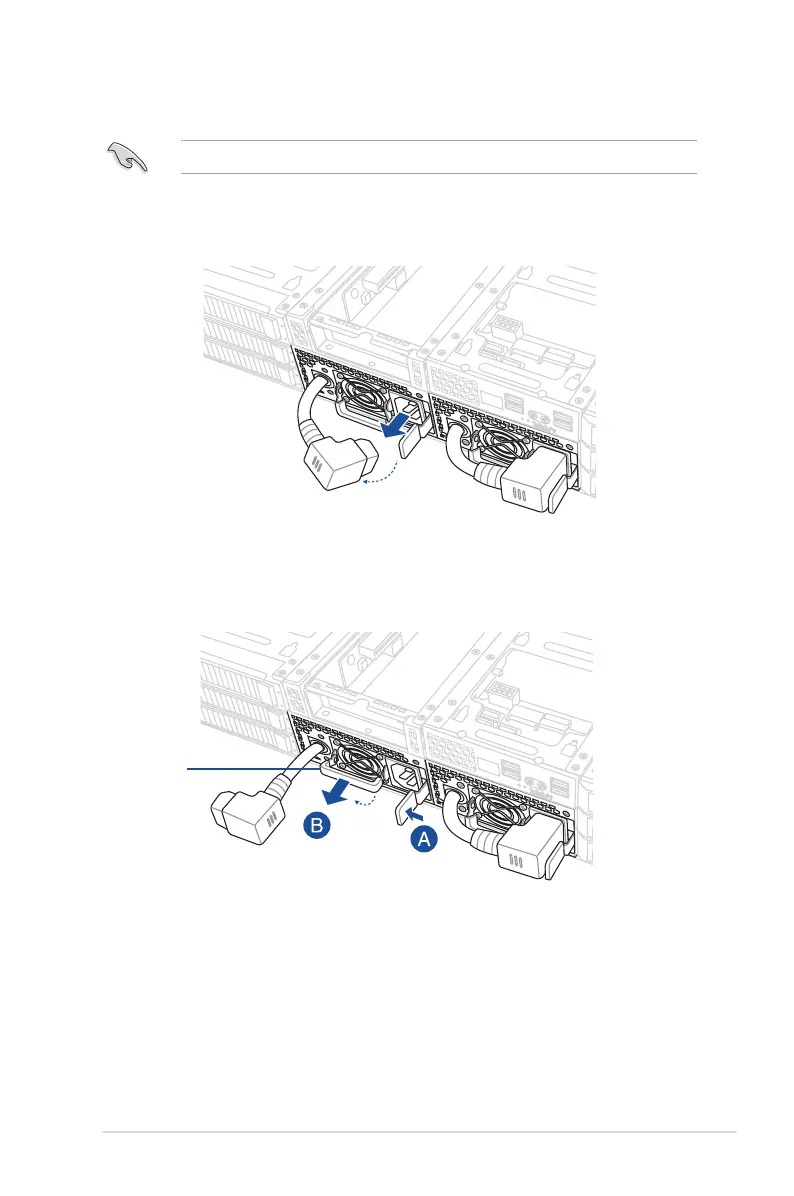
To replace a power supply unit (PSU):
1. Unplug the PSU power cable.
We recommend that you use both of your hands when performing the following steps.
2. Lift up the PSU lever.
3. Hold the PSU lever, press the PSU latch (A), then carefully pull the PSU out of the
system chassis (B).
PSU lever














 To Next Page