2-35
ASUS ESC4000A-E12
2.5.5 Installing an M.2 (NGFF) card
You may install an M.2 card (up to 22110) to the PCIe 5.0 M.2 card.
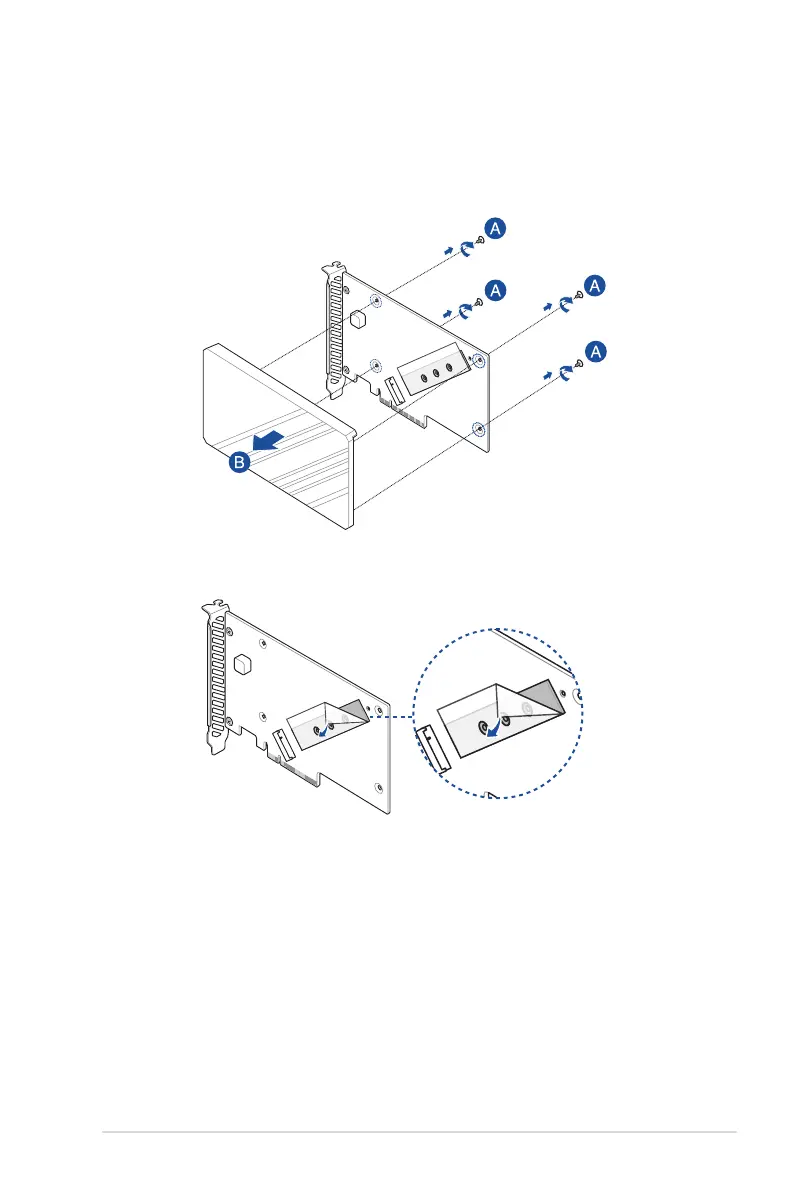
1. Remove the four (4) cover screws that secure the cover to the PCIe 5.0 M.2 card, then
remove the cover and set it aside.
2. Peel the plastic film off the thermal pad next to the M.2 slot.














 To Next Page