Chapter 2: Hardware Setup
2-50
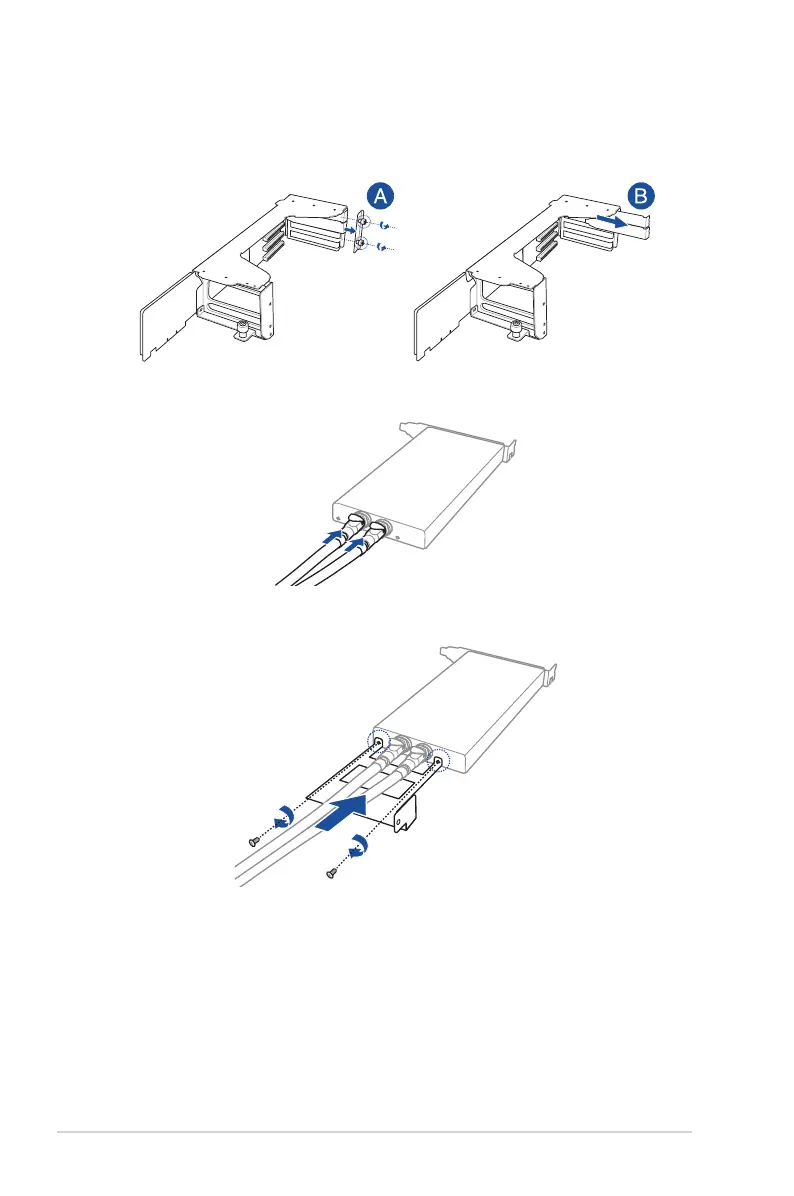
6. Install the liquid cooling pipe bracket, then secure it using two screws.
5. Connect the liquid cooling pipes to a supported GPU card.
3. Place the GPU bracket on a flat and stable surface.
4. Loosen the two thumbscrews and remove the PCIe lock (A), then remove the metal
covers (B).














 To Next Page