2-51
ASUS ESC4000A-E12
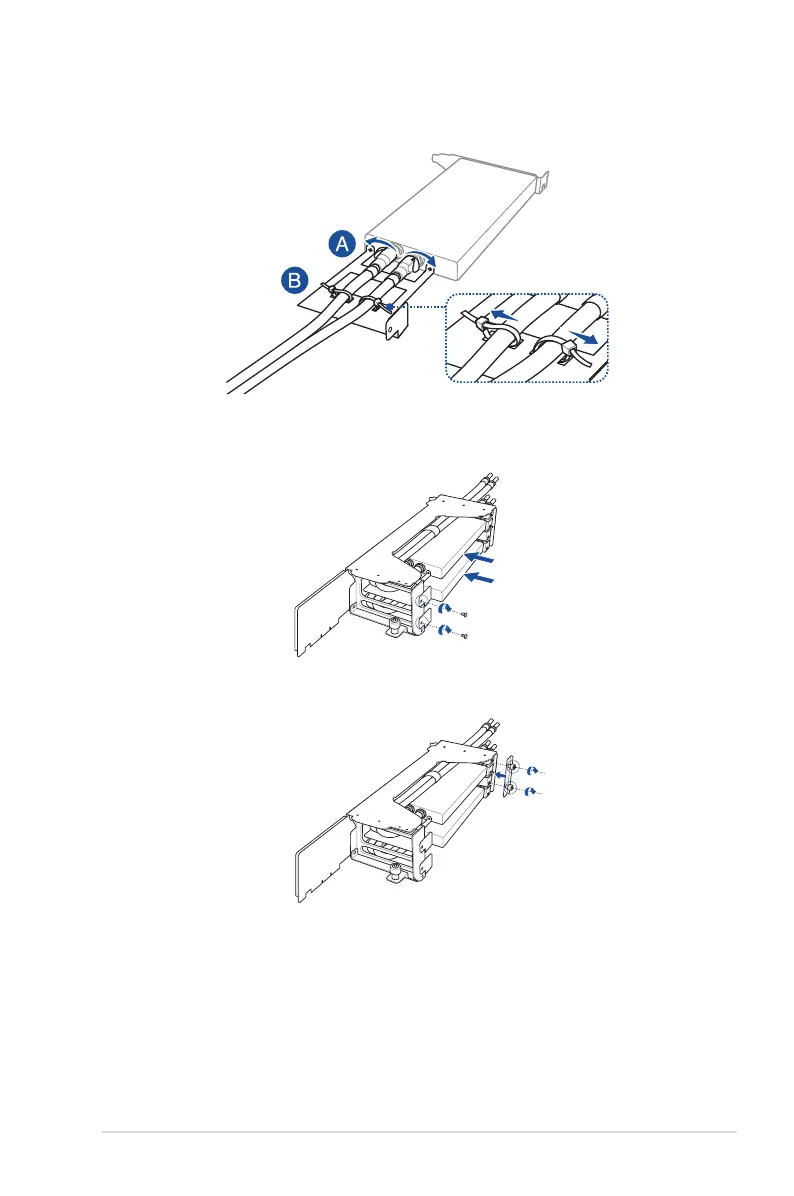
8. Install the GPU, liquid cooling assembly into the GPU bracket, then secure it using two
screws.
9. Install the PCIe lock, then secure the two thumbscrews.
7. Push the latches on the liquid cooling pipes outwards (A), then use cable ties to secure
the liquid cooling pipes (B).














 To Next Page