Chapter 2: Hardware Setup
2-52
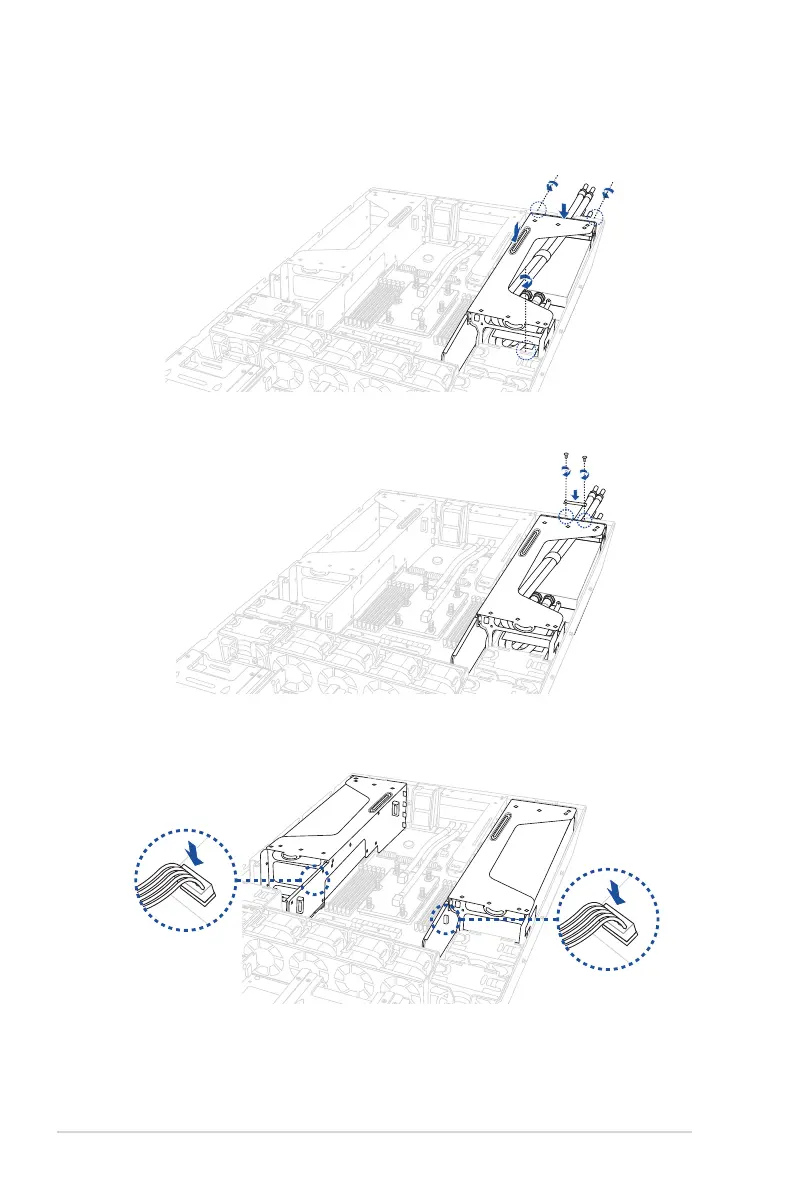
11. Install the metal cover, then secure it using two screws.
12. Connect the leak detection sensor cable to
WL_CON1_L
for the left GPU bracket or
WL_CON1_R
for the right GPU bracket.
10. Align and insert the golden fingers of the GPU bracket into the card slot on the
motherboard and ensure that it is securely seated in the slot, then secure the three
thumbscrews.














 To Next Page