Chapter 2: Hardware Setup
2-46
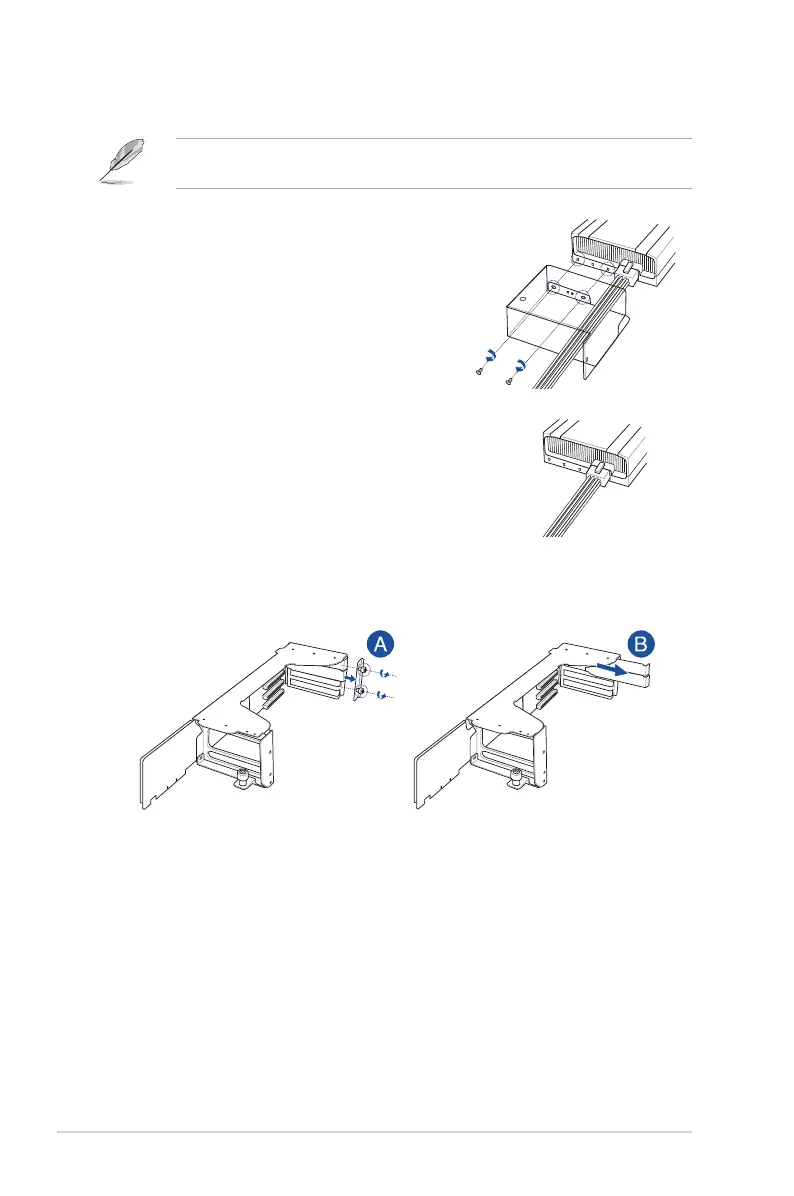
5. Install the air duct, if supported by the GPU card, and connect the GPU power cable.
The GPU air duct is designed and recommended for dual-slot GPU cards with a length of
10.5 inches.
For GPU card installation with an air duct
Pass the power cable through the air duct and
connect it to the GPU card, then secure the air
duct to the GPU card with two screws.
For GPU card installation without an air duct
Connect the power cable to the GPU.
6. Place the GPU bracket on a flat and stable surface.
7. Loosen the two thumbscrews and remove the PCIe lock (A), then remove the metal
covers (B).














 To Next Page