ASUS ESC4000A-E12
3-7
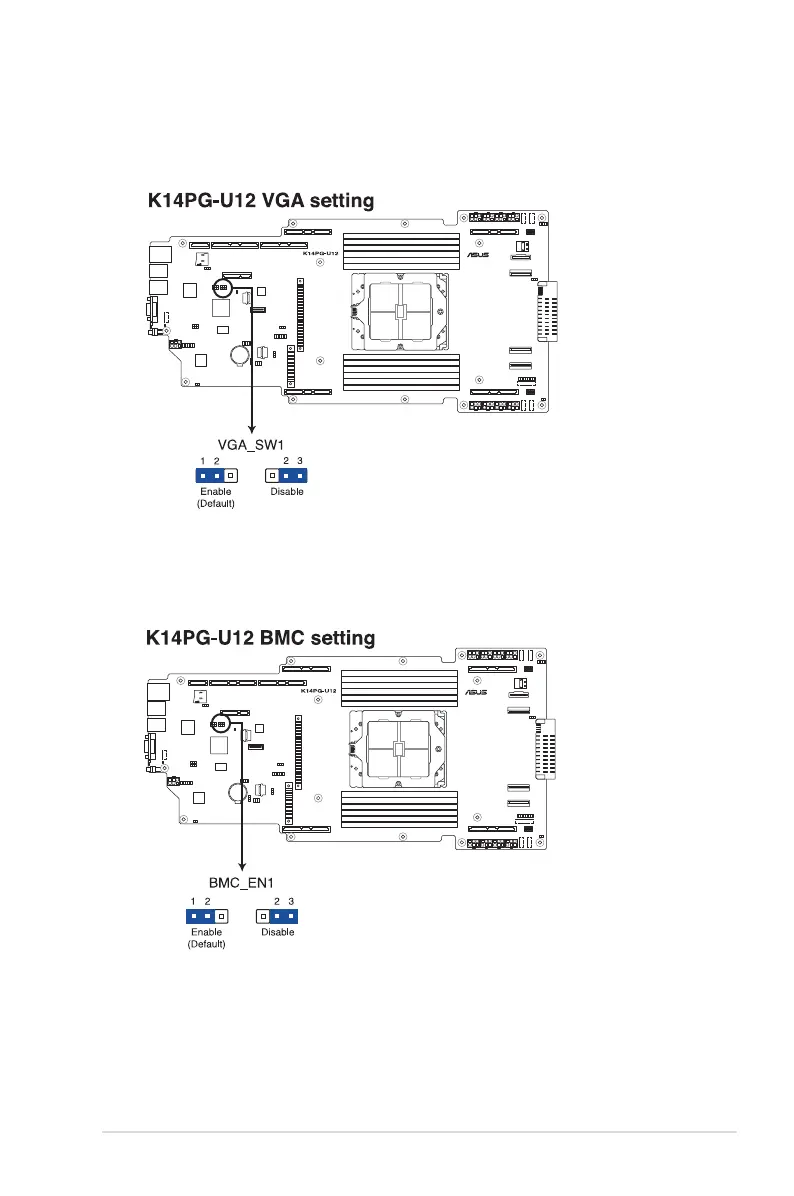
2. VGA Controller setting (3-pin VGA_SW1)
This jumper allows you to enable or disable the onboard VGA controller. Set to pins 1–2
to activate the VGA feature.
3. Baseboard Management Controller setting (3-pin BMC_EN1)
This jumper allows you to enable (default) or disable on-board BMC. Ensure to set this
BMC jumper to enabled to avoid system fan control and hardware monitor error.














 To Next Page