5-21
ASUS RS720-E9-RS8/RS8-G
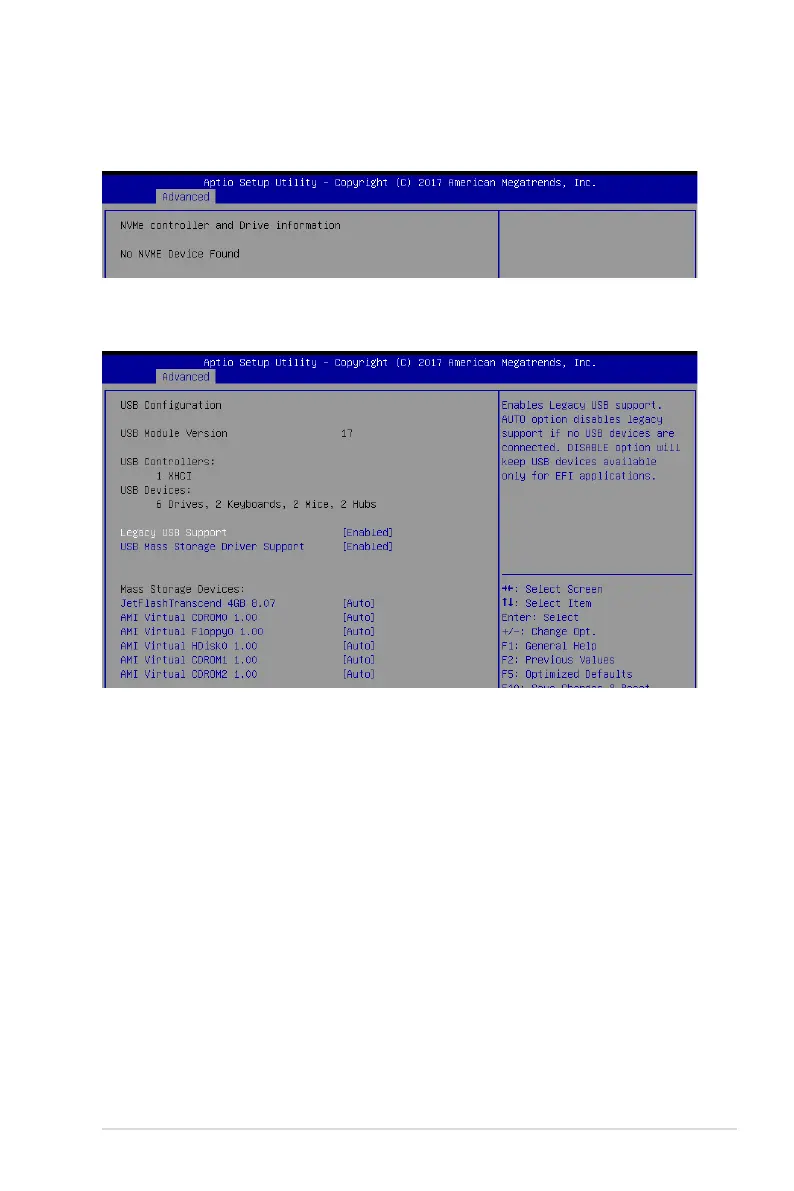
5.4.10 NVMe Configuration
This page will display the NVMe controller and drive information.
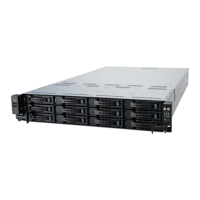
5.4.11 USB Configuration
Legacy USB Support [Enabled]
Allows you to enable or disable Legacy USB device support.
Congurationoptions:[Enabled][Disabled][Auto]
USB Mass Storage Driver Support [Enabled]
Allows you to enable or disable the USB Mass Storage driver support.
Congurationoptions:[Disabled][Enabled]
Mass Storage Devices
AMI Virtual CDROM0-2 / Floppy / HDisk0 1.00 [Auto]
Allows you to select the mass storage device emulation type.
Congurationoptions:[Auto][Floppy][ForcedFDD][HardDisk][CD-ROM]





 To Next Page