Chapter 2: Hardware Information
2-40
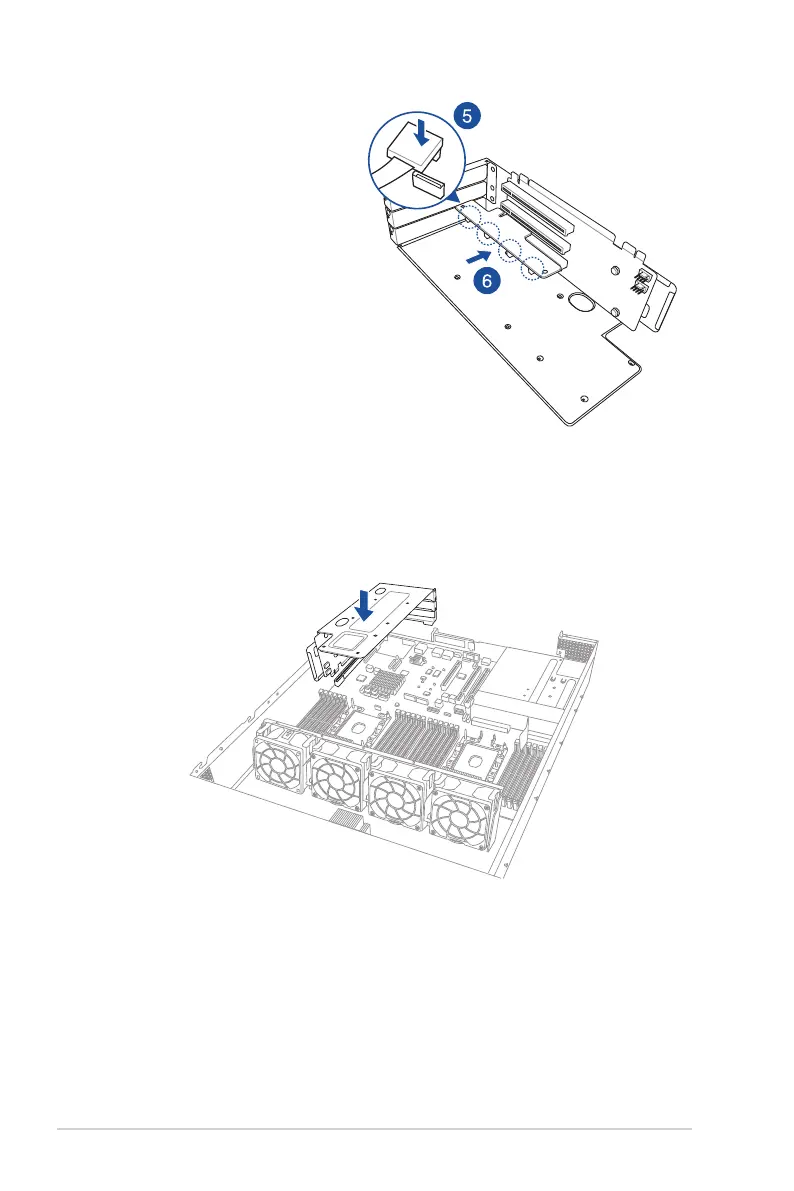
3. Place the riser card bracket 1 on
aatandstablesurfaceinthe
orientation as shown.
4. Prepare the ASUS PCIE-
NVME4-OCuLinkcard.
5. Connect the OCuLink cables to
the corresponding slots.
6. InstalltheASUSPCIE-NVME4-
OCuLink card into the PCIE slot.
7. Installtherisercardbracket1andtheASUSPCIE-NVME4-OCuLinkcardassembly
into the PCIE1 slot on the motherboard. Ensure that the golden connectors of the riser
cardbracket1isrmlyseatedinplace.
8. Secure the riser card bracket 1 to the chassis with the screw removed in step 1.














 To Next Page