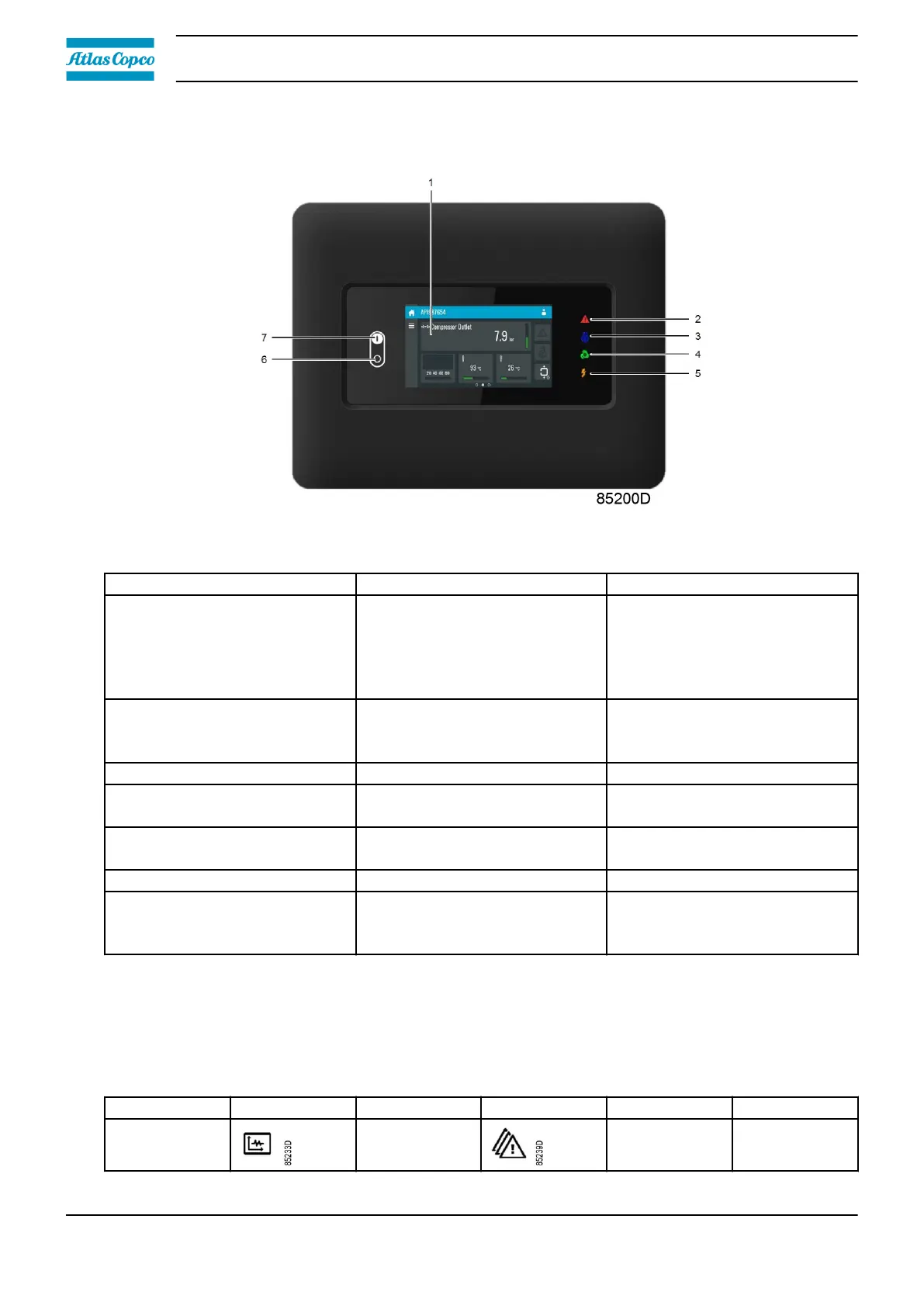
3.2 Control panel
Figure 11: Control panel
Reference Designation Function
1 Touch screen
Shows the unit operating
condition and several icons to
navigate through the menu.
The screen can be operated by
touch.
2 Warning sign
Flashes in case of a shut-down,
is lit in case of a warning
condition.
3 Service sign Lit when service is needed.
4 Operation sign
Lit when the unit is running in
automatic operation.
5 Voltage sign
Indicates that the voltage is
switched on.
6 Stop button Stops the unit.
7 Start button
This button starts the unit. The
operation sign lights up. The
controller is operative.
3.3 Icons used
Menu icons
Menu
Icon Menu Icon Menu Icon
Data Status
Instruction book
26 2920 7219 10



 To Next Page