Check that condensate is discharged regularly by the automatic drain of the dryer. The amount
of condensate depends on the operating conditions of the unit and the humidity of the air.
Open the manual drain valve from time to time to remove any impurities. See section
Preventive maintenance schedule.
3. On compressors equipped with a desiccant dryer (CD), regularly check the pressure difference
indicator of the PD 20
+
filter in front of the compressor.
Replace the filter element if the indicator shows red.
Open the manual drain valve from time to time to remove any impurities. See also section
Preventive maintenance schedule.
Check the status of the LEDs on the dryer control panel at regular intervals.
If the Warning/Alarm LED is alight, consult the section Problem solving.
4. On tank-mounted compressors, open the manual drain valve of the air receiver regularly to
remove the water (especially in case of Pack units). Also see section Preventive maintenance
schedule.
Note: The dew point will deviate from nominal when the nominal conditions are exceeded. If
the dew point remains too high or unstable, consult section Problem solving.
5.4 Stopping
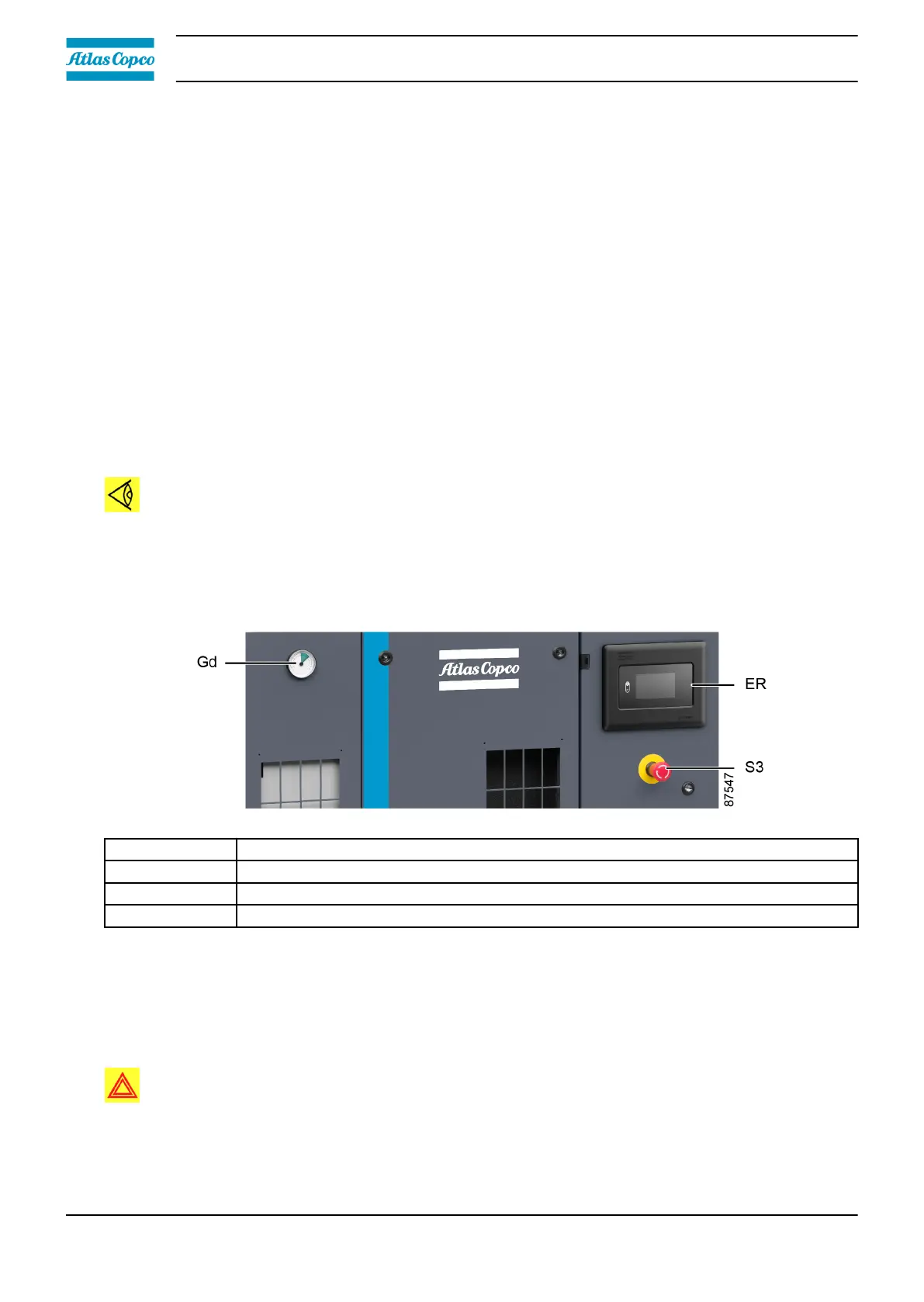
Control panel
Reference Description
ER Touch controller
Gd Dew point gauge
S3 Emergency stop button
Procedure
1. Press the stop button on the Touch controller.
2. Switch off the voltage.
3. Close the air outlet valve (AV). See section Introduction.
Warning:
The refrigerant air dryer and the air receiver remain under pressure. If it is
necessary to depressurize these components, open the manual drain valve(s).
Instruction book
60 2920 7219 10



 To Next Page