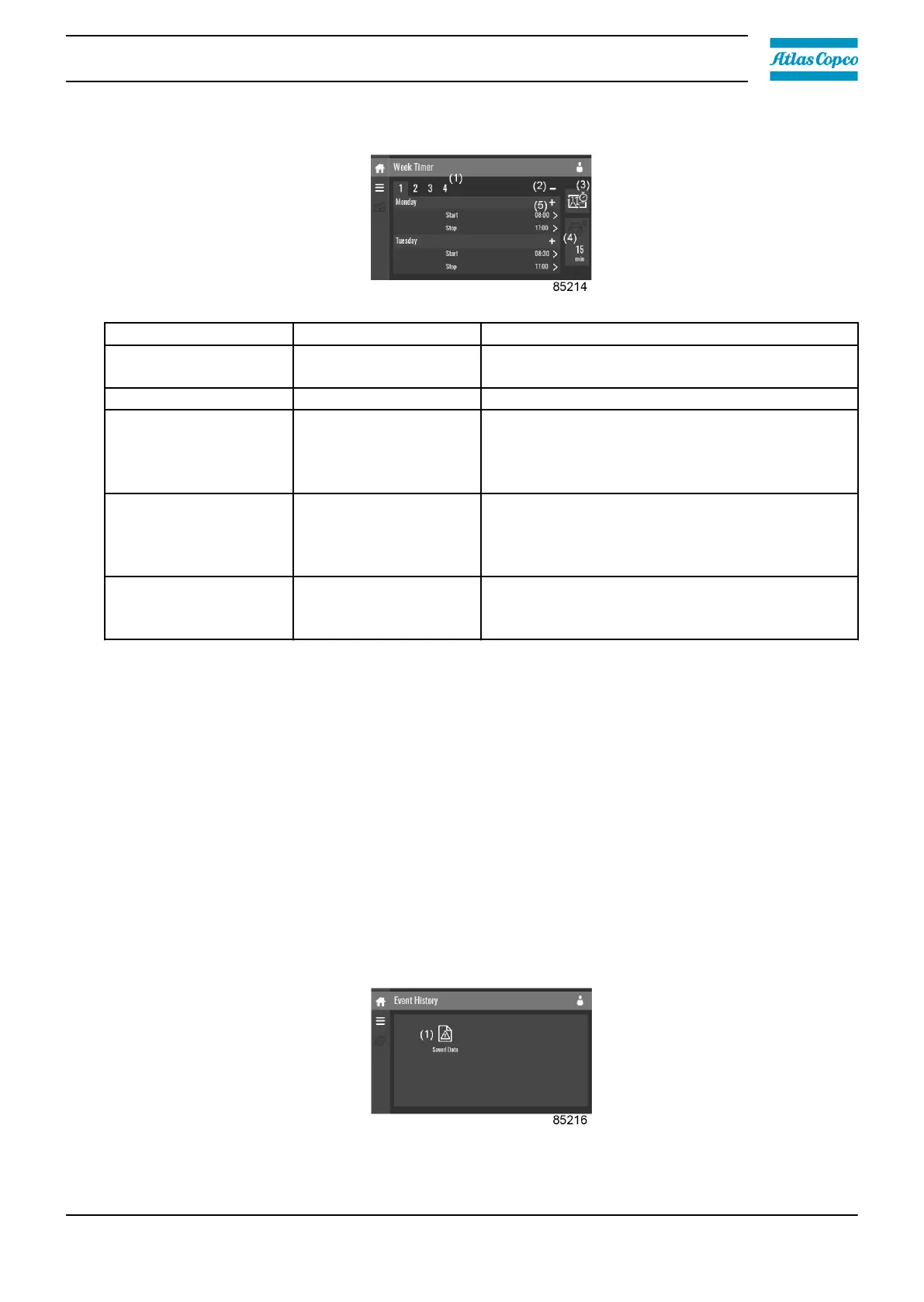
Description
Reference Designation Function
(1) Add or select week
If less than 4 weeks are programmed, tap the ‘+’
button to add a week.
(2) Remove week Tap to remove a programmed week timer.
(3) Activate week timer
A selection screen pops up. The user can
choose the correct week by tapping ‘–’ or ‘+’
and can confirm by tapping ‘V’ or decline by
tapping ‘X’.
(4)
Remaining running
time
A selection screen pops up. The user can
change the remaining time by tapping ‘–’ or ‘+’
and can confirm by tapping ‘V’ or decline by
tapping ‘X’.
(5) Add setting
A selection screen pops up. The user can
change the setting by swiping up or down and
confirm by tapping ‘V’ or decline by tapping ‘X’.
3.10 Event history menu
Function
This screen is used to display the saved data in case of an alarm.
These submenus can be entered by tapping the icons.
Procedure
To enter the Event History menu screen:
1. Tap the Menu button.
2. Tap the Event History icon.
Description
Instruction book
2920 7219 10 39








 To Next Page