3.8 Service menu
Function
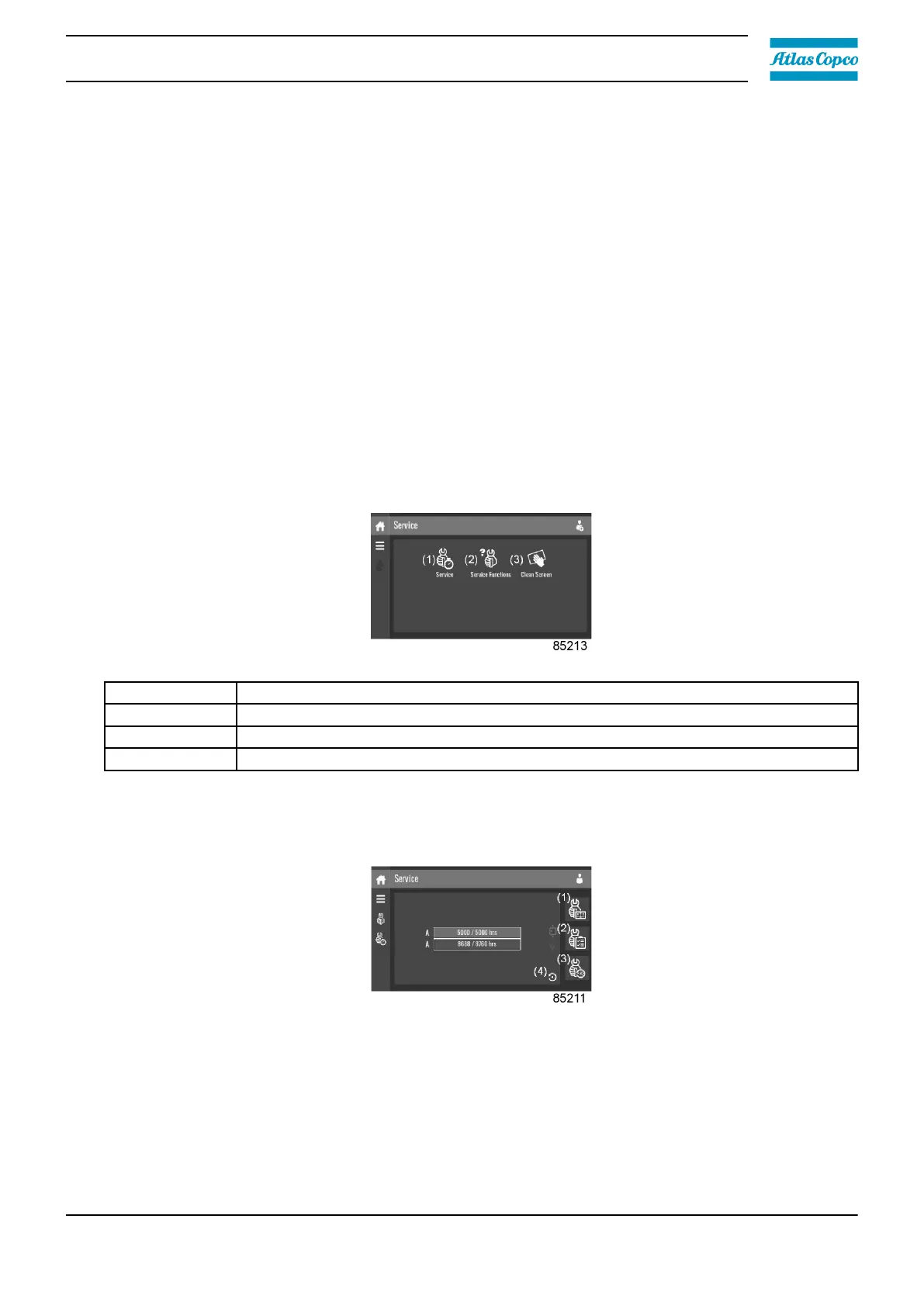
This screen is used to display the following submenus:
• Service
• Service Functions (visible as advanced user)
• Clean Screen
These submenus can be entered by tapping the icons.
Procedure
To enter the Service menu screen:
1. Tap the Menu button.
2. Tap the Service icon.
Description
Reference Description
(1) Service
(2) Service Functions (only visible as advanced user)
(3) Clean Screen
Service menu
Tap the Service icon to enter the Service menu.
This menu shows the remaining Running Hours and the remaining Real Time Hours until the next
service. The first row (A) shows the Running Hours when the first service is needed (green), the
second row shows the Real Time Hours (blue)
A service overview can be viewed by tapping icon (1).
The service plan can be viewed by tapping icon (2). Through this menu, the service plan can be
modified:
Instruction book
2920 7219 10 37





 To Next Page