Reference Designation Function
(5) Confirm Tap to confirm the selected user level.
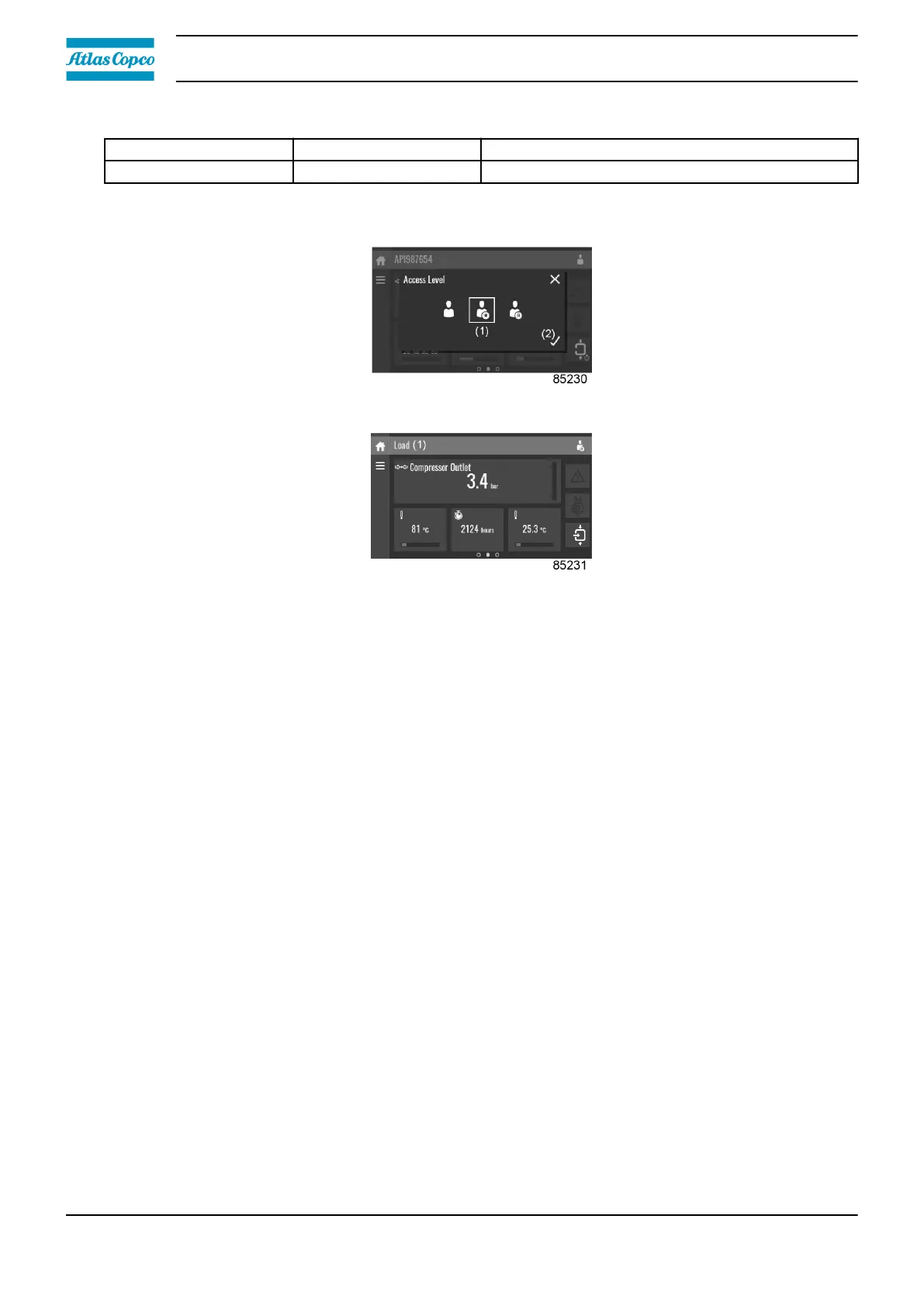
Service access level
Tap the Service access level icon (1) and confirm (2).
The screen information bar (1) now shows the current status of the unit instead of the machine
serial number.
The Received Signal Strength Indicator (RSSI) value is now shown in the Internal SmartBox menu.
See section Quick access screen.
In the service menu, an extra menu item is now available. See section Service menu.
3.14 Web server
All controllers have a built-in web server that allows direct connection to the company network or to
a dedicated PC via a local area network (LAN). This allows to consult certain data and settings via
a PC instead of the display of the controller.
Getting started
Make sure you are logged in as administrator.
• Use the internal network card from your computer or a USB to LAN adapter.
• Use a UTP cable (CAT 5e) to connect to the controller (see picture below).
Instruction book
46 2920 7219 10




 To Next Page