33
OPERATION
Pulse Oximeter
Do not expose the sensor to xenon light, phototherapy light, fluorescent light, infrared light, or direct
sunlight. Otherwise, the performance of the sensor may be affected.
The SIQ bar graph on the display is not proportional to the size of the detected pulse.
Use only the sensors and the patient cables specified by Atom to connect to the pulse oximeter in
this unit. Using any other sensor or patient cable may injure the patient.
The above sensors and patient cables are not waterproof.
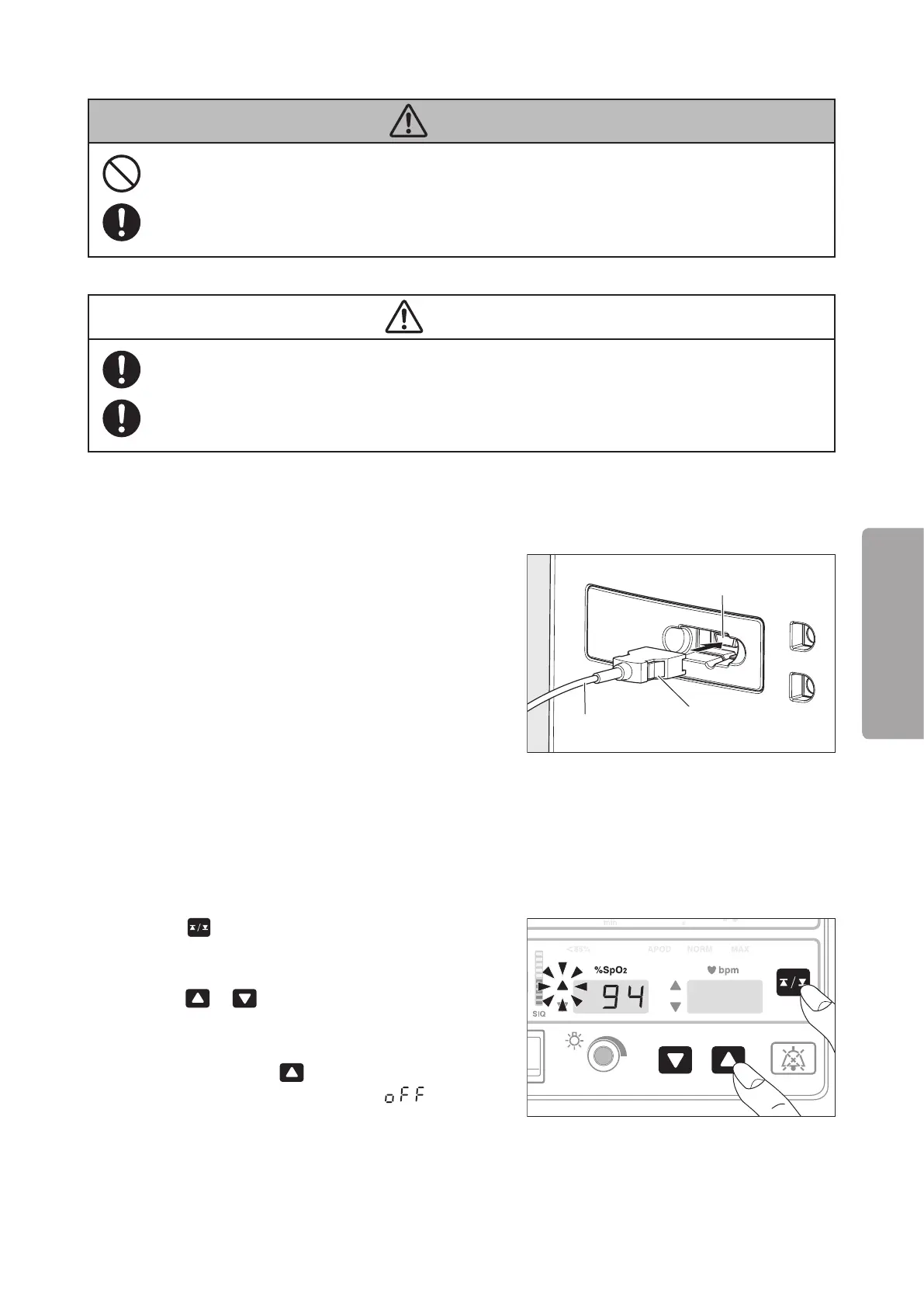
Connecting the Patient Cable to the Main Body5-1-1.
(1) Insert the plug of the patient cable into the Connec-
tor for SpO2 on the main body.
Connector for SpO2
Patient cable
Plug
Setting the Upper/Lower Alarm Limits5-2.
You can set upper/lower alarm limits respectively for SpO2 and the pulse rate monitored with the pulse oximeter.
Audible and visible alarms will be given if any of the alarm limits is violated.
* The upper alarm limit cannot be set below the lower alarm limit for the SpO2 and the pulse rate.
(1) Press
. The unit enters the SpO2 upper alarm
limit setting mode and the SpO2 upper limit alarm
indicator will flash. While the indicator is flashing,
press or to set the SpO2 upper alarm limit
to a desired level.
The alarm limit can be set in the range of 50~99%
in 1% increments. If
is pressed when the alarm
limit is 99%, the setting will become “ ” and the
upper limit alarm cannot be set.



 To Next Page