35
OPERATION
Pulse Oximeter
(1) Each time is pressed, a different sensitivity indi-
cator will come on. Continue operating the switch
until the indicator of desired sensitivity comes on.
Setting the Synchronizing Pulse Beep Volume and the 5-4.
Averaging Time
* The averaging time feature is available only with a unit equipped with the Masimo type SpO2 function.
When the pulse oximeter is in use, a beep is emitted every time the infant’s pulse is detected, so that the pulse
rhythm can be recognized through the ears too. The volume of this beep is adjustable as desired. The SpO
2
value shown on the %SpO2 display is the average of the SpO2 values detected over a certain length of time. If
faster detection of changes in SpO2 values is preferred, select a shorter averaging time. If slower detection is
preferred, select a longer averaging time.
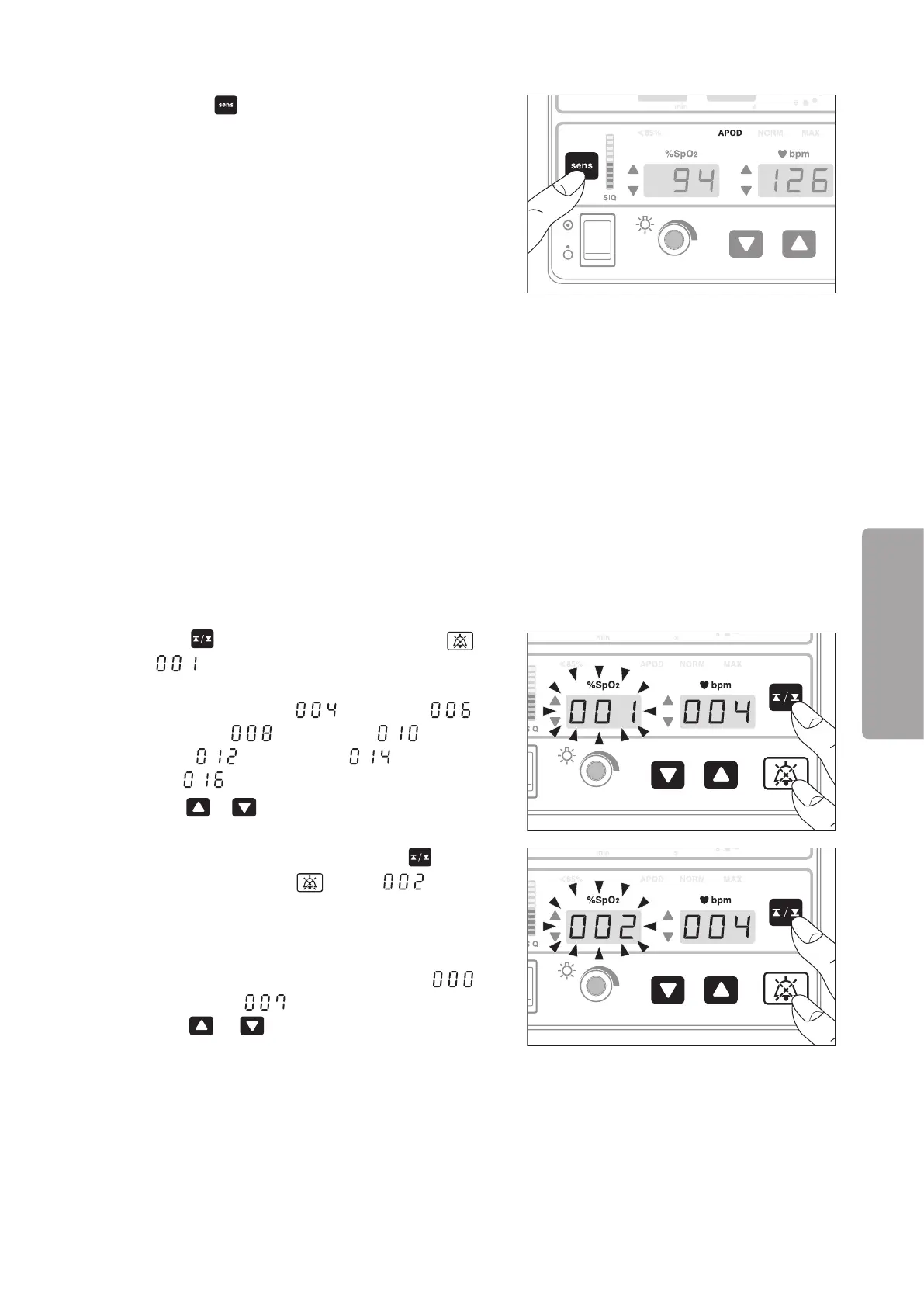
Connect the patient cable and the disposable sensor, (1)
and turn on the pulse oximetry function.
(2) Press
for one second while pressing .
“ ” will appear on the SpO2 display and the
current setting of the averaging time will appear on
the pulse rate display: “ ”: 4 seconds, “ ”:
6 seconds, “ ”: 8 seconds, “ ”: 10 sec-
onds, “ ”: 12 seconds, “ ”: 14 seconds
and “ ”: 16 seconds.
Press
or to select a desired setting.
(3) After setting the averaging time, press
for one
second while pressing again. “ ” will ap-
pear on the SpO2 display and the current setting of
the synchronizing pulse beep volume will appear on
the pulse rate display.
The volume is adjustable in 8 levels from “
”
(Silenced) to “ ” (Maximum).
Press or to set the volume to a desired
level.
SatSeconds (Nellcor)5-5.
* This section relates to a unit equipped with the Nellcor-type SpO2 function. Please skip this section if your
unit is not equipped with this feature.



 To Next Page