40
Other Operation Procedures
Apgar mode ■
Turn the power switch on. “ (1)
: ” will appear on the timer display.
Press the timer switch, and the timer will start counting up. The timer display shows the passing of time (2)
second by second.
* When the time for evaluating the Apgar score comes (in 1, 3, 5, 10 minutes), a chime rings.
* The timer will stop automatically when it has counted up to 60 minutes and 60 seconds.
CPR mode ■
Press the timer switch, and the timer will start counting up. The timer display shows the passing of time (1)
second by second.
A preliminary “pip” starts sounding three seconds before the time for evaluating resuscitation.(2)
When the time for evaluating resuscitation comes (every 30 seconds), a chime rings for one second and (3)
the second counter counts up 6 seconds by turning on the lamps starting from “0” one by one. The second
counter operates twice.
* The chime and the second counter will not operate after 30 minutes have elapsed.
* The timer will stop automatically when it has counted up to 60 minutes and 60 seconds.
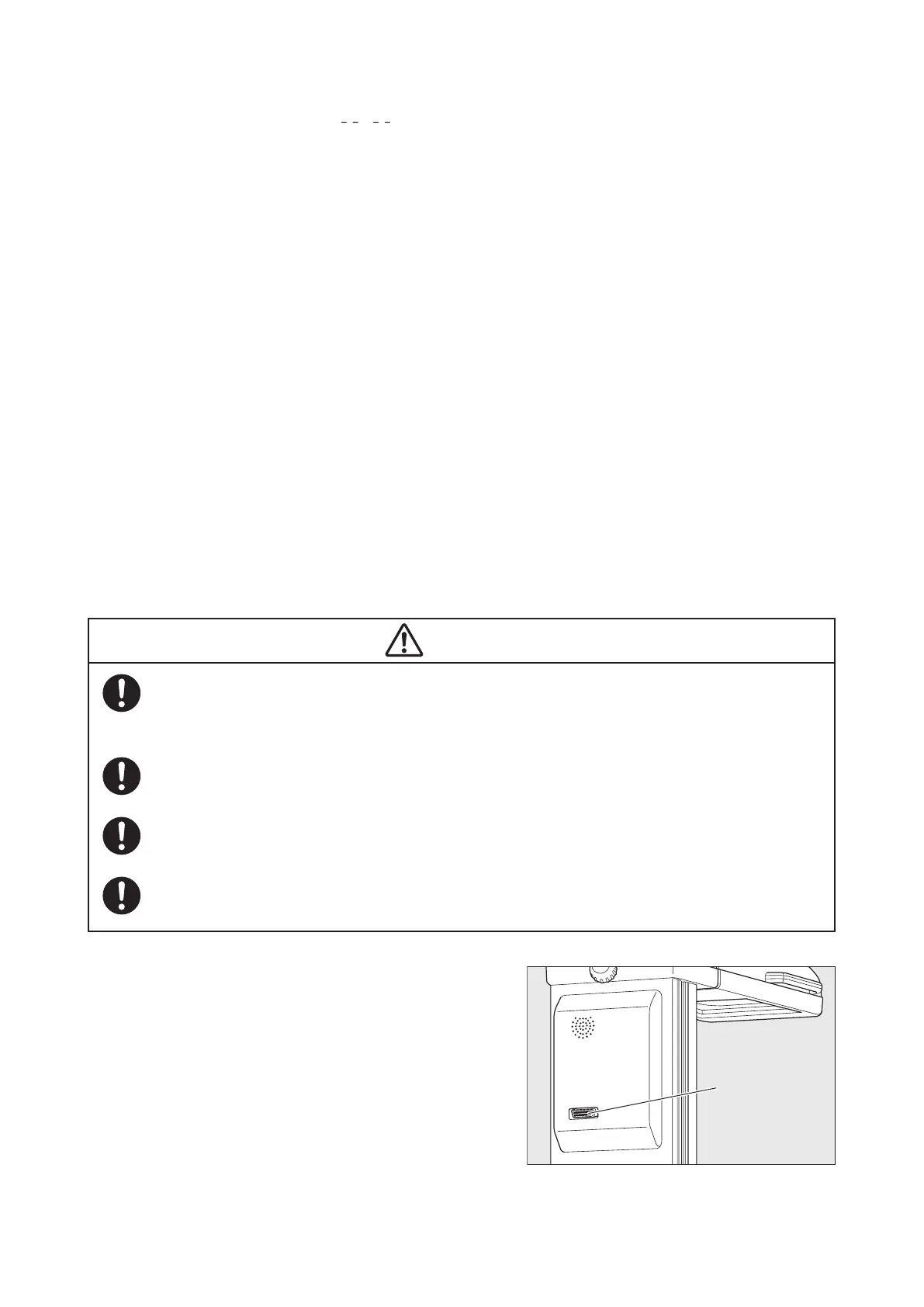
I/O Port (Communication Connector)7-2.
Connect an external computer to this port to have the operation of the unit recorded and displayed on the
computer.
To prevent a risk of an electric shock, a device to be connected to the unit must be equivalent in
safety to an electric device for medical use which meets the requirements of IEC 60601-1 and IEC
60601-1-1. Connect the device to a common protective grounding system.
Be sure to follow the “External Communication Specifications”
*
when using the communication
function.
The I/O port (communication connector) is intended to inform the external computer of the condi-
tions of the unit. The unit cannot be controlled from the external computer.
When using the communication function, do not depend on the information given by the external
computer but monitor the infant’s condition and that of the unit continuously.
* If you need the “External Communication Specifica-
tions,” contact your local Atom representative.
I/O port
(communication
connector)



 To Next Page