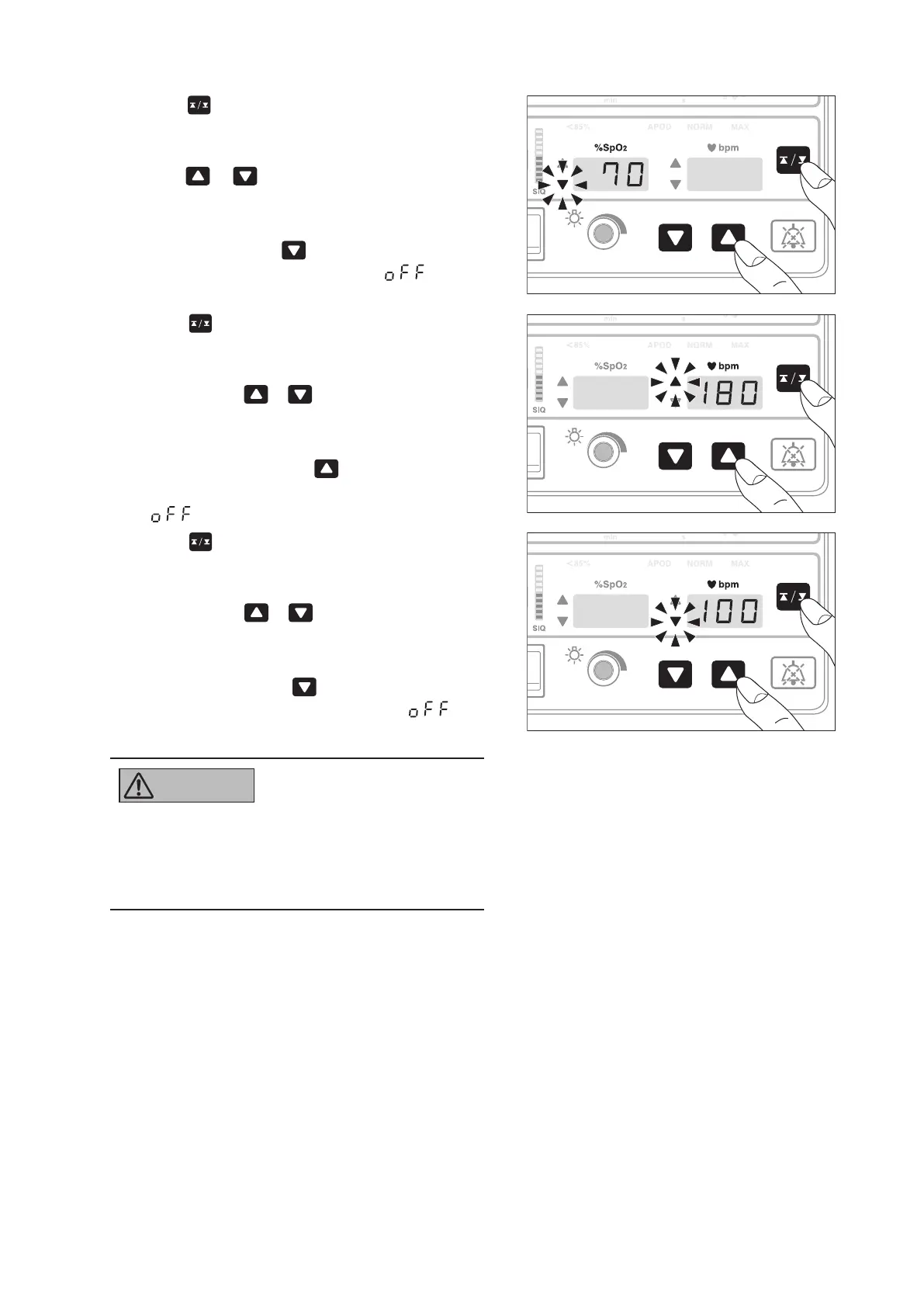
(2) Press . The unit enters the SpO2 lower alarm
limit setting mode and the SpO2 lower limit alarm
indicator will flash. While the indicator is flashing,
press or to set the SpO2 lower alarm limit
to a desired level.
The alarm limit can be set in the range of 45~95%
in 1% increments. If
is pressed when the alarm
limit is 45%, the setting will become “ ” and the
lower limit alarm cannot be set.
(3) Press
. The unit enters the pulse rate upper
alarm limit setting mode and the pulse rate upper
limit alarm indicator will flash. While the indicator is
flashing, press or to set the pulse rate upper
alarm limit to a desired level.
The alarm limit can be set in the range of 80~240bpm
in 5bpm increments. If
is pressed when the
alarm limit is 240bpm, the setting will become
“ ” and the upper limit alarm cannot be set.
(4) Press
. The unit enters the pulse rate lower
alarm limit setting mode and the pulse rate lower
limit alarm indicator will flash. While the indicator is
flashing, press or to set the pulse rate lower
alarm limit to a desired level.
The alarm limit can be set in the range of 35~180bpm
in 5bpm increments. If
is pressed when the alarm
limit is 35bpm, the setting will become “ ” and
the lower limit alarm cannot be set.
Premature infants tend to develop retinopathy of
●
prematurity in a high oxygen environment. There-
fore, be especially cautious in setting the SpO2
upper alarm limit.
Setting the Sensitivity (Masimo)5-3.
* This section relates to a unit provided with a Masimo-type SpO2 function. Please skip this section if your
Infant Warmer is not provided with this feature.
The sensitivity of the sensor can be set to “APOD,” “NORM (normal sensitivity),” or “MAX (high sensitivity)”
depending on the patient’s condition. “NORM” is appropriate for normal patient monitoring. “APOD” is appro-
priate for monitoring an active patient, whose sensor is apt to come off. When “APOD” is selected, a sensor off
condition will be detected more accurately. “MAX” is appropriate for monitoring in the case of low perfusion.
When “MAX” is selected, a sensor off condition will be detected somewhat less accurately.



 To Next Page