40
Remove the clutch control line on the handle end, and then
remove the clutch operating arm on the engine end; turn the
clutch operating arm by a proper angle and remount it, and then
mount the clutch control line, finally adjust it to a satisfied free
stroke according to the fine adjustment.
Caution
Always ensure the clutch operating handle has the proper free-
play! A loose clutch cable will prevent the clutch from disengag-
ing. A tight clutch cable will cause poor clutch engagement and
damage the clutch.
10. Drive Chain
Drive Chain Tension
Park the motorcycle on level ground with the main stand and shift
the transmission to the neutral position. Check the driving chain
tension. Press the chain by hand both up and down to check the
range of movement of the lower chain.
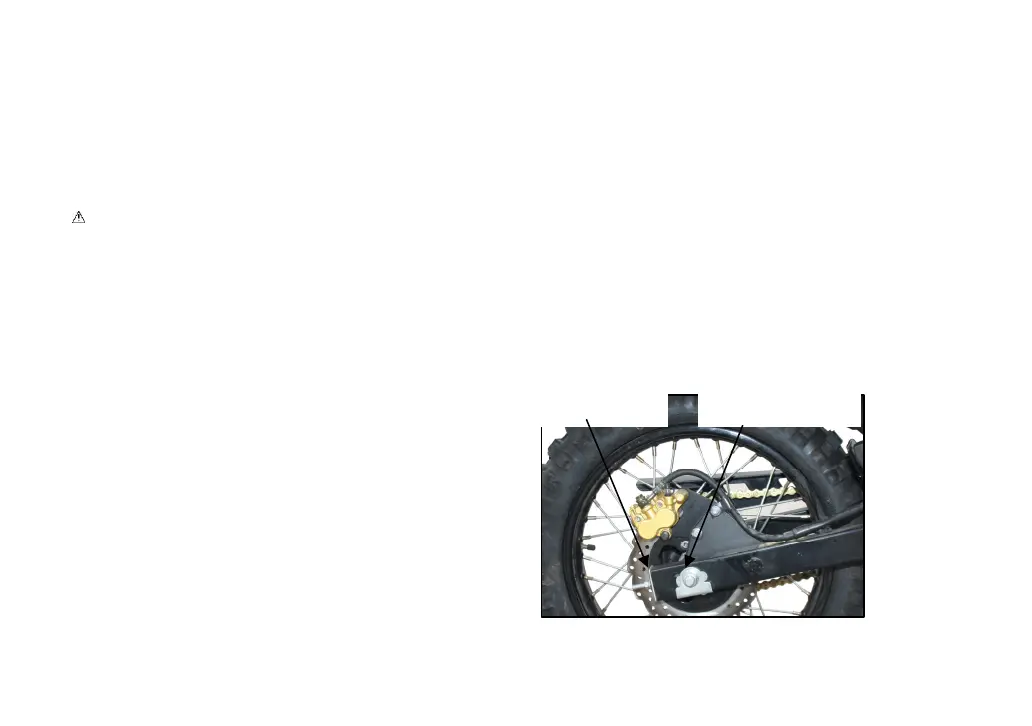
Chain Adjustment
Unscrew the rear wheel spindle nut and turn the adjusting bolt on
the chain adjuster until the specified tension is achieved, and
then fasten the rear wheel spindle nut, and check the flexibility for
free rotation of the rear wheel and the consistency of the front
and rear wheels.



 To Next Page