PUSHBUTTON OPERATIONS
TranScend Chassis – Operation Manual 3-1
PUSHBUTTON OPERATIONS
3. Pushbutton Operations
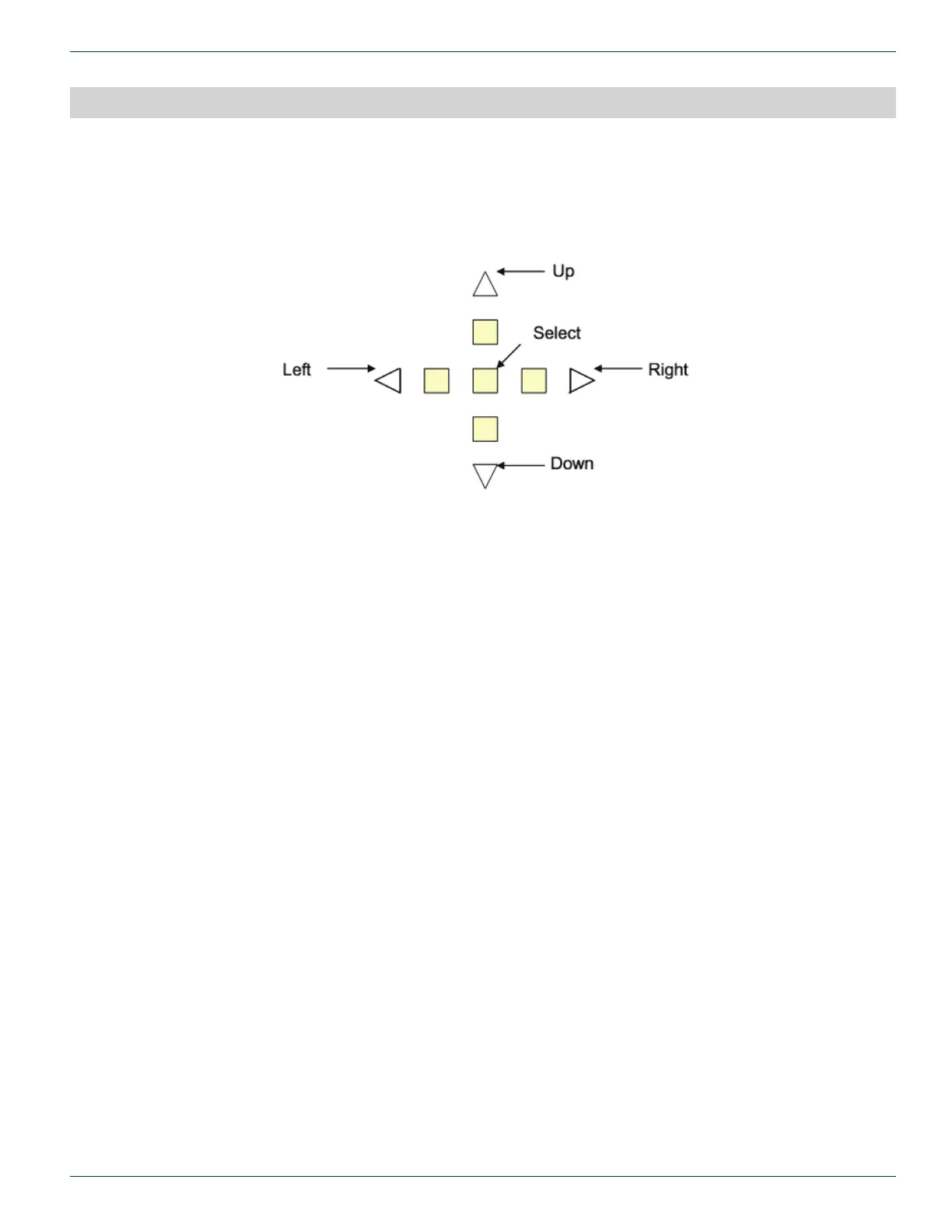
There are ve pushbuttons located at the front panel of chassis. They are designated as “Up” with a upper arrow indicator,
“Right” with a right arrow indicator, “Left” with a left arrow indicator, “Down” with a down arrow indicator and “Select” as the
center button.
3.1 Philosophy of Button Operations
3.1.1 Individual Button Operations
Up: The cursor moves up one line
Down: The cursor moves down one line
Right: Cycle through the available options for the line where cursor is located.
If the menu is for read-only attribute, the display shows the next available interface.
Example #1: If the current display is “#1 Optical Power”, the “#2 Optical Power” shall be displayed after “Right”
button is pressed.
Example #2: If the menu is for the quantitative write attributes, the “Right” button increases the value.
In the “Gain Setting Menu”, the cursor displays Gain (steps): 1, the Gain (steps): 2 shall be displayed after the
“Right” button is pressed once.
Left: Cycle through the available options for the line where cursor is located
If the menu is for read-only attribute, the display shows the next available interface.
Example #1: If the current display is “#2 Optical Power”, the “#1 Optical Power” shall be displayed after “Left”
button is pressed.
Example #2: If the menu is for the quantitative write attributes, the left button decreases the value.
In the “Gain Setting Menu”, the cursor displays Gain (steps): 3, the Gain (steps): 2 shall be displayed after “Left”
button is pressed.
Select: There are multiple meanings to the select button.
• Select to execute the action where the cursor is located.
Example #1: If the cursor is located at the “Prev menu” line, the display shall change to the NEXT higher
menu after the “Select” button is pressed once.
• Select to commit the option.
Example #1: In the “Gain Setting Menu”, if the cursor is located on the “Sel Ch: 1” line, the channel #1
shall be used for gain adjustment after “Select” button is pressed.
CHAPTER 3:



 To Next Page