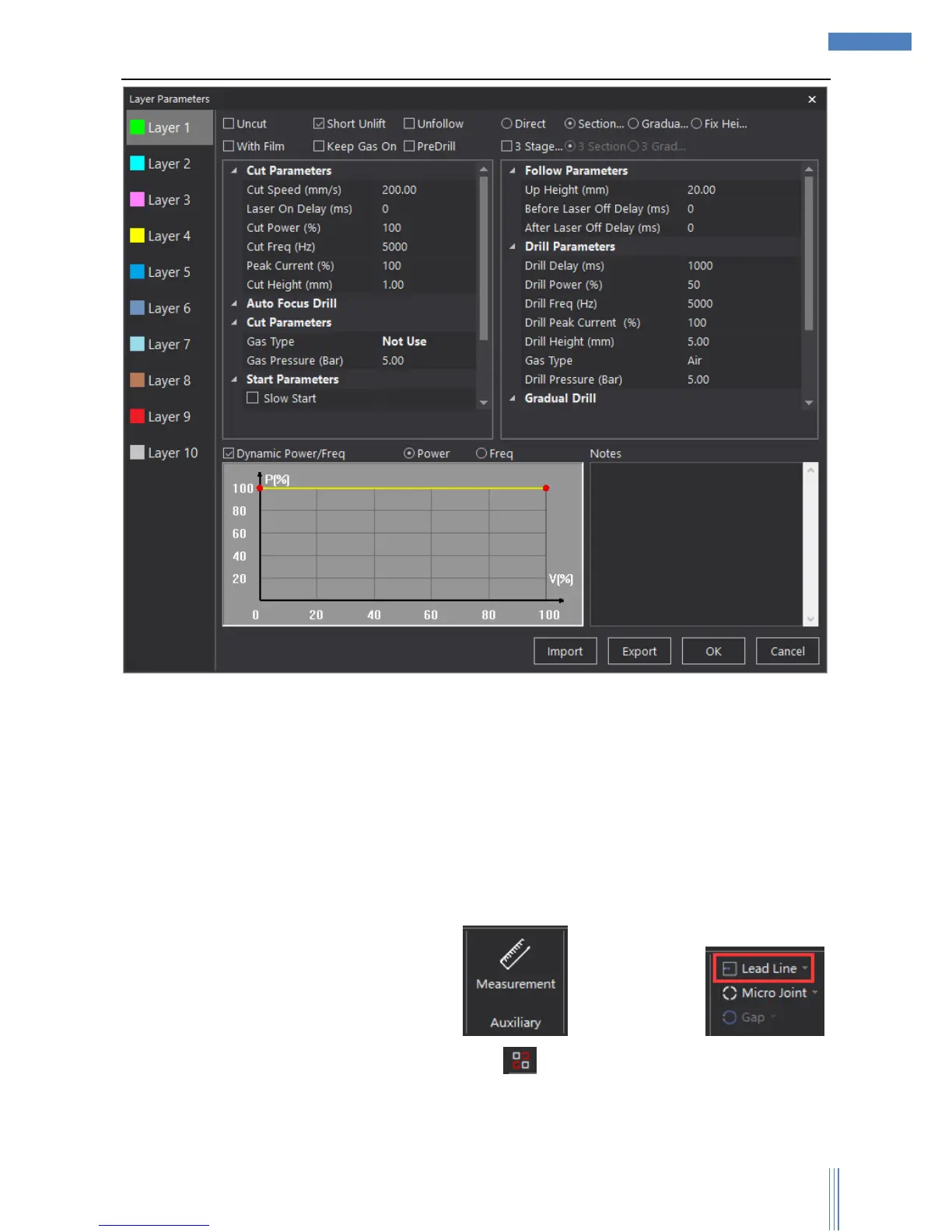
User can set up different parameters to achieve the best situation of cutting: cutting ways, cutting
speed, cutting power, gas type/pressure, up height and so on.
2.1.6 Checking before cutting
Before you really start cutting, please check the cutting graphics and path planning to make sure
everything has been settled properly.
1) Please check the cutting graphic in these aspects: Size, lead line, sort, unclosed curve, minimal
graphic, similar graphic.
2) SC1000 can measure the size of the graphic and check lead line ,
it can also auto-remove the interfered lead line. It shows the unclosed graphic. You can
choose unclosed curve/minimal graphic/similar graphic in “Select”.
3) Please check the path planning in these aspects: Cutting frame, running tracks and so on by



 To Next Page