Tips
Click the dropdown menu of “Open” to check the file list recently opened, and user can easily find
the file he opened before.
3.2.1.2 Initialization
The initialization part collects all the functions user will be use at the beginning when all the
equipment power on: “Go origin”, “Edge seek”, “Cancel edge seek”, “Clear warning”.
1) :After Z axis go back to origin, X axis and Y axis go back to origin of machine at the same
time (default). Or user can choose “Only Z follower” (only Z axis go origin), “Only X” (only X
axis go origin), “Only Y” (only Y axis go origin).
Attention
Before axis go origin, please make sure the parameters of direction/type/speed and other
parameters have already been set. Make sure “Go origin” button works properly and no obstacles
on the workpiece sheet. Or it can possibly result in damaging to machine or even hurting people.
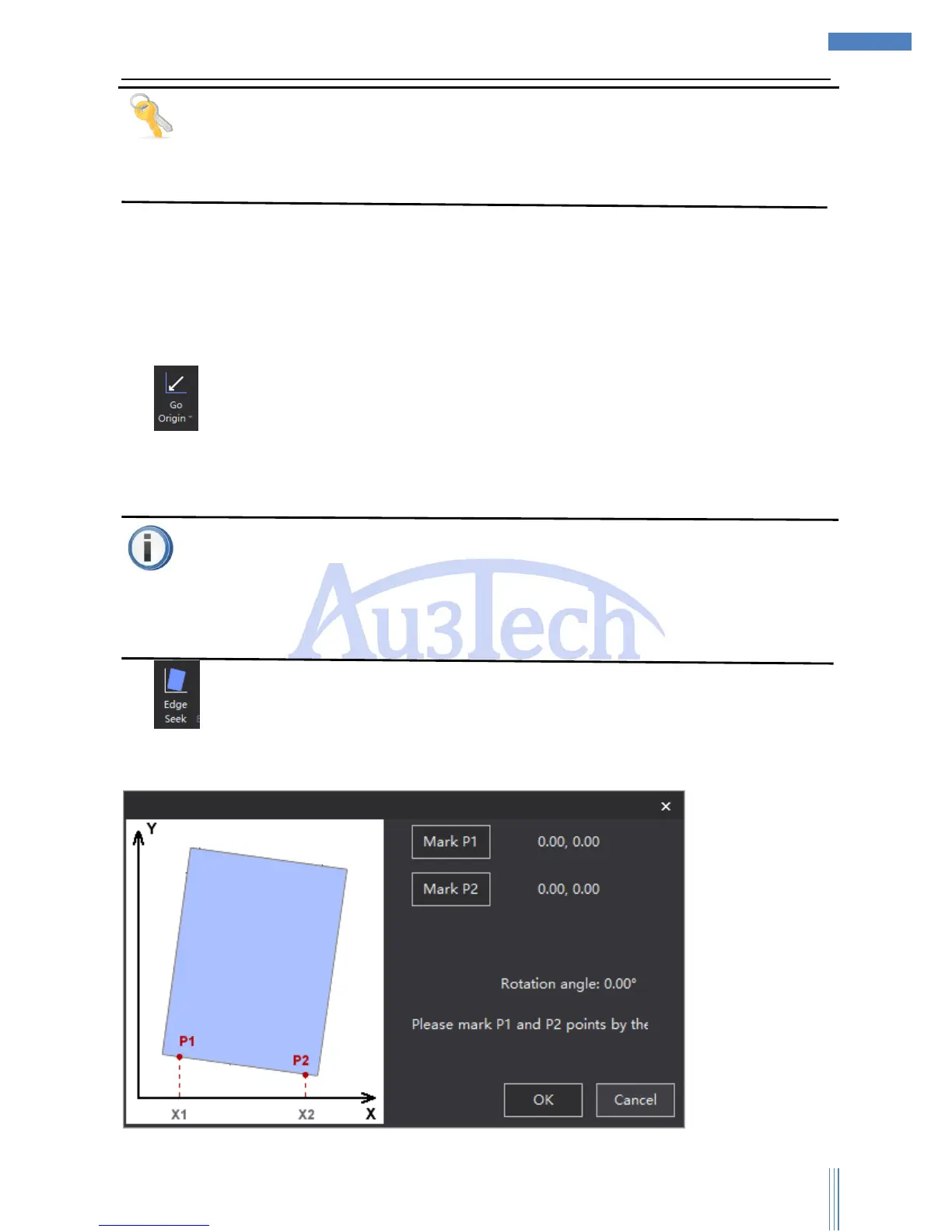
2) :According to the real place of the workpiece sheet to revise the coordinate of SC1000, so
that user can make sure the cutting graphics are inside the workpiece sheet without moving the
sheet. Click the “Edge seek” button, UI shows as below:



 To Next Page