34
System Panel Features
Digital I/O Format
Allows you to select whether the optical input
uses ADAT or S/PDIF digital format.
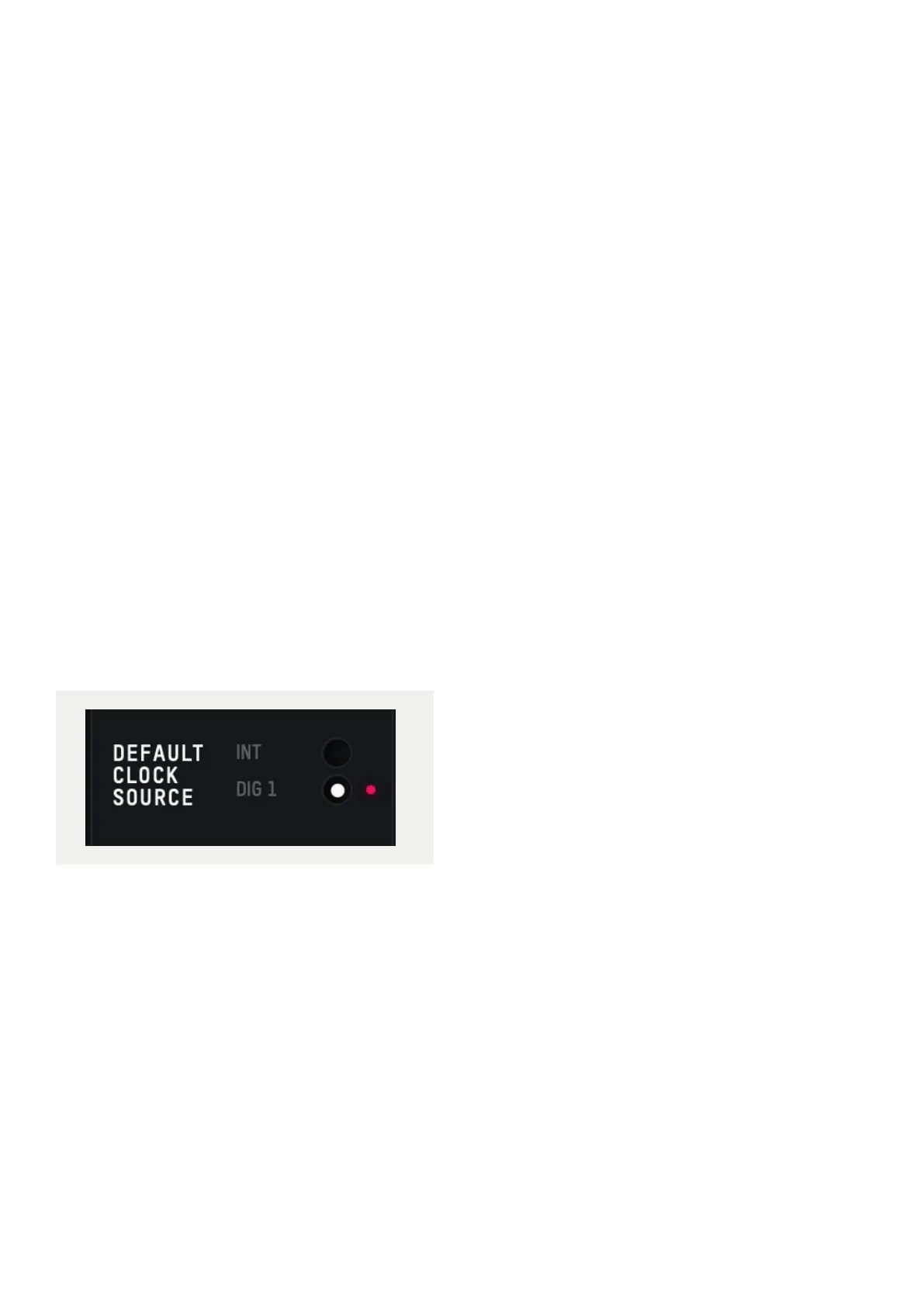
Preferred Clock Source
The Clock source can be selected from either
the internal clock or the optical input. More
information about choosing a clock source
can be found in the clocking section of this
manual.
When using an external clock source the
indicator beside the selector shows the
current status of the clock on that input.
• Red - No clock signal detected on input
• Amber - A clock signal is detected but at
a dierent sample rate to iD24
• Green - A clock signal is detected and is
at the correct sample rate.
For an external clock source to be working
correctly you would want the indicator to be
green.
Mono Mode
When iD24’s Mono feature is engaged this
option controls whether the mono signal
is sent to the left, right or both monitors.
Dim Level
When iD24’s dim function is engaged,
this control defines how much the level is
reduced by.
ALT Speaker Level
This control defines the level drop/boost
when iD24 is switched to ALT speaker mode.
This is used to balance levels between
dierent speaker brands.
Output Routing Selection
Opens the Routing Matrix for either the
Analogue Outputs, Digital Output or the
Talkback channel.
iD Mode
Controls whether the iD button engages
ScrollControl or one of the monitoring
functions.



 To Next Page