38
Audio Loop-back
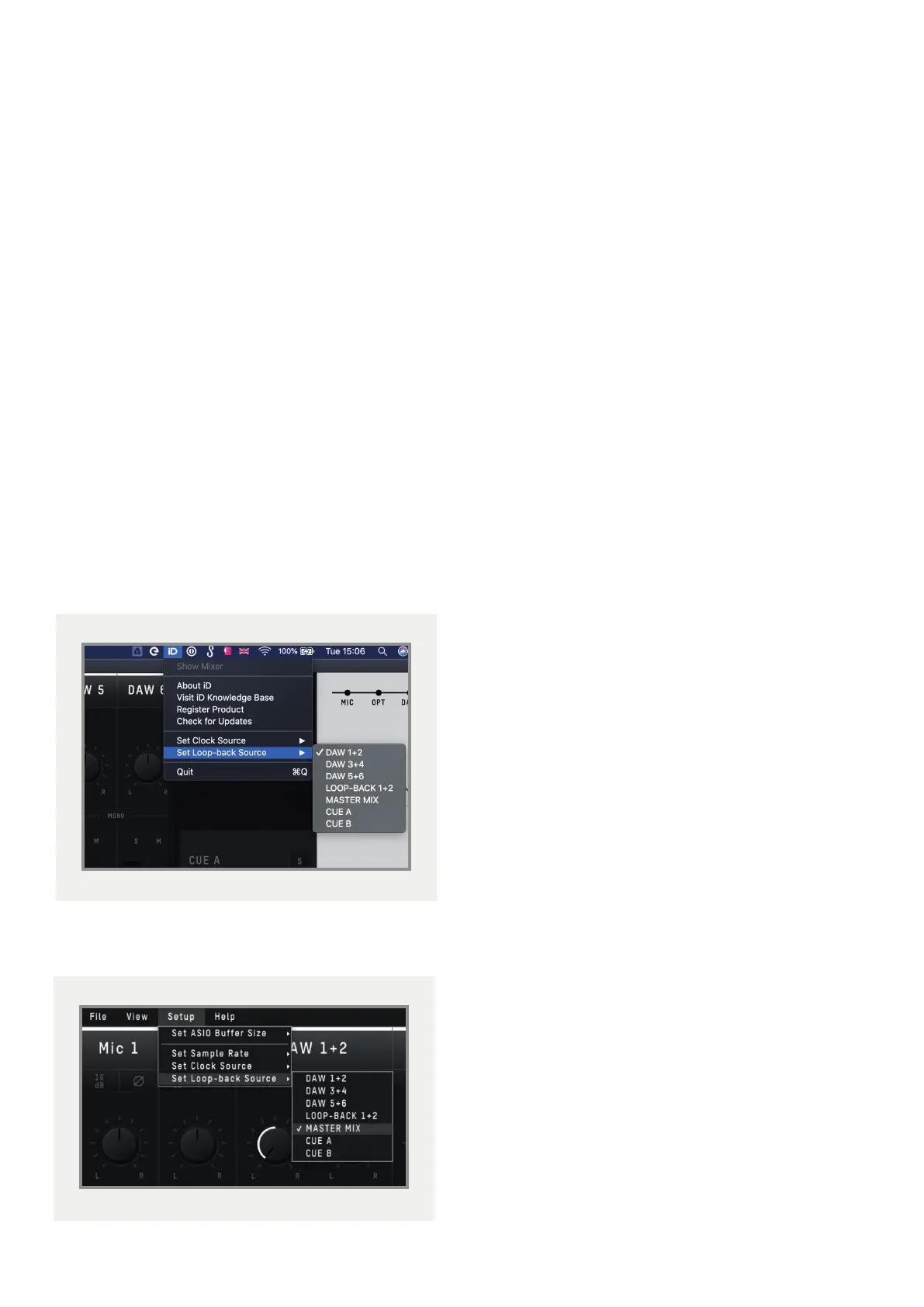
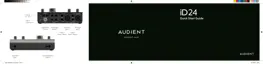
iD24’s Software Mixer has the ability to loop-
back audio so you can record or stream audio
from dierent applications on your computer
using the dedicated Loopback channels.
• These Loopback channels are located
on input channels 11+12 and using the
‘Input Routing’ option of the ‘Setup’ menu
found in the menu bar when using the iD
Software Mixer. Here you can select the
audio source you would like to be sent to
these Loopback channels.
On macOS:
On Windows:
The various sources you can select from in
the menu are as follows:
• DAW 1+2 - Any audio being sent to
outputs 1+2 of the iD24
• DAW 3+4 - Any audio being sent to
outputs 3+4 of the iD24
• DAW 5+6 - Any audio being sent to
outputs 5+6 of the iD24
• Master Mix - The audio mix created in
the iD Software Mixer on the Main Mix
tab
• Cue A - The audio mix created in the iD
Software Mixer on the CUE A tab
• Cue B - The audio mix created in the iD
Software Mixer on the CUE B tab



 To Next Page