39
Recording/Streaming your
Loop-back Source
Once you have selected the Loopback Inputs
as your audio source in your recording/
streaming software, you can now set up your
Loopback mix using the iD Software Mixer.
The first step is to decide which source you
will use for your Loopback stream.
If you wish to combine audio from your
computer and microphones/instruments
into a single mix then selecting either the
Main Mix or one of the Cue Mixes is the best
option as you can use the faders in the iD
Software Mixer to send multiple channels to
the same mix.
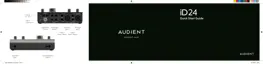
For example, below you can see the CUE A
mix being used as the Loopback source with
the Mic 1 and DAW 1+2 being sent to the CUE
A mix. When recording the Loopback inputs
with this setup, you would hear both the Mic
Channel and the Computer Playback on a
single stereo channel.
Using the Loop-back Mixer
To record or stream your loopback mix in your
audio software, you would simply need to
select the Loopback channels as your input
channels in your audio software. Depending
on the software you are using, they may
appear as either Loopback 1+2 or Input 11+12.
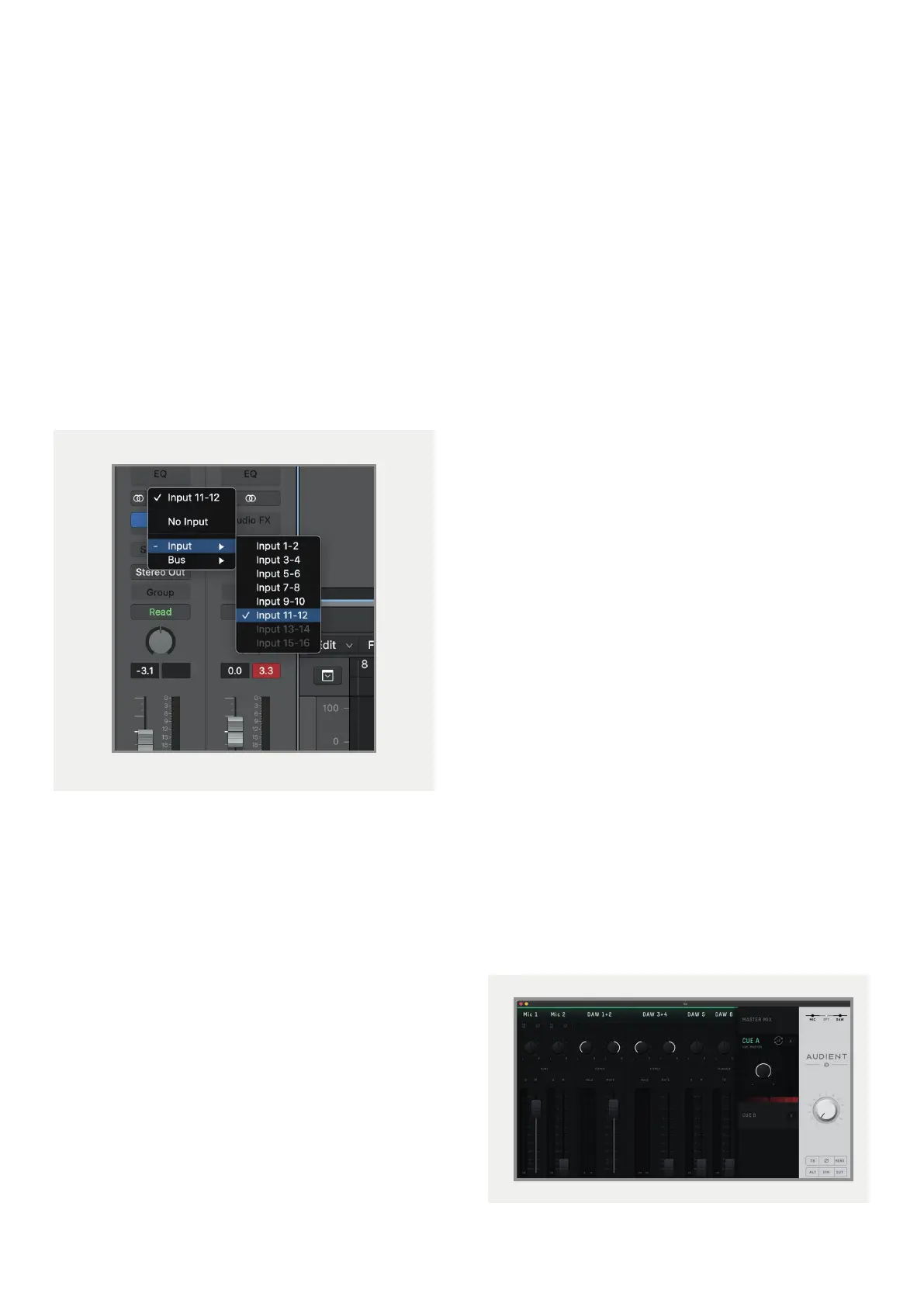
For example, the image below shows how you
would select the loopback input in Logic Pro X.
A similar process would be used in other
software. If you are unsure on how to adjust the
input on your audio software, we’d recommend
referencing the user manual for your software.
On Windows, you may also need to adjust
the audio device in your System settings from
Analogue 1+2 to Loopback 1+2.
Please note: Some software will not allow you
to adjust the input channel you are using and
will just default to Channels 1+2. This limitation
with some software can stop you from using
loopback with this software as you are unable to
select Channels 11+12.



 To Next Page