Copyright © 2006-2009 AudioNote Kits
www.AudioNoteKits.com
audionotekits@rogers.com
Page 46
Section 14: RCA Connections and Final Earth
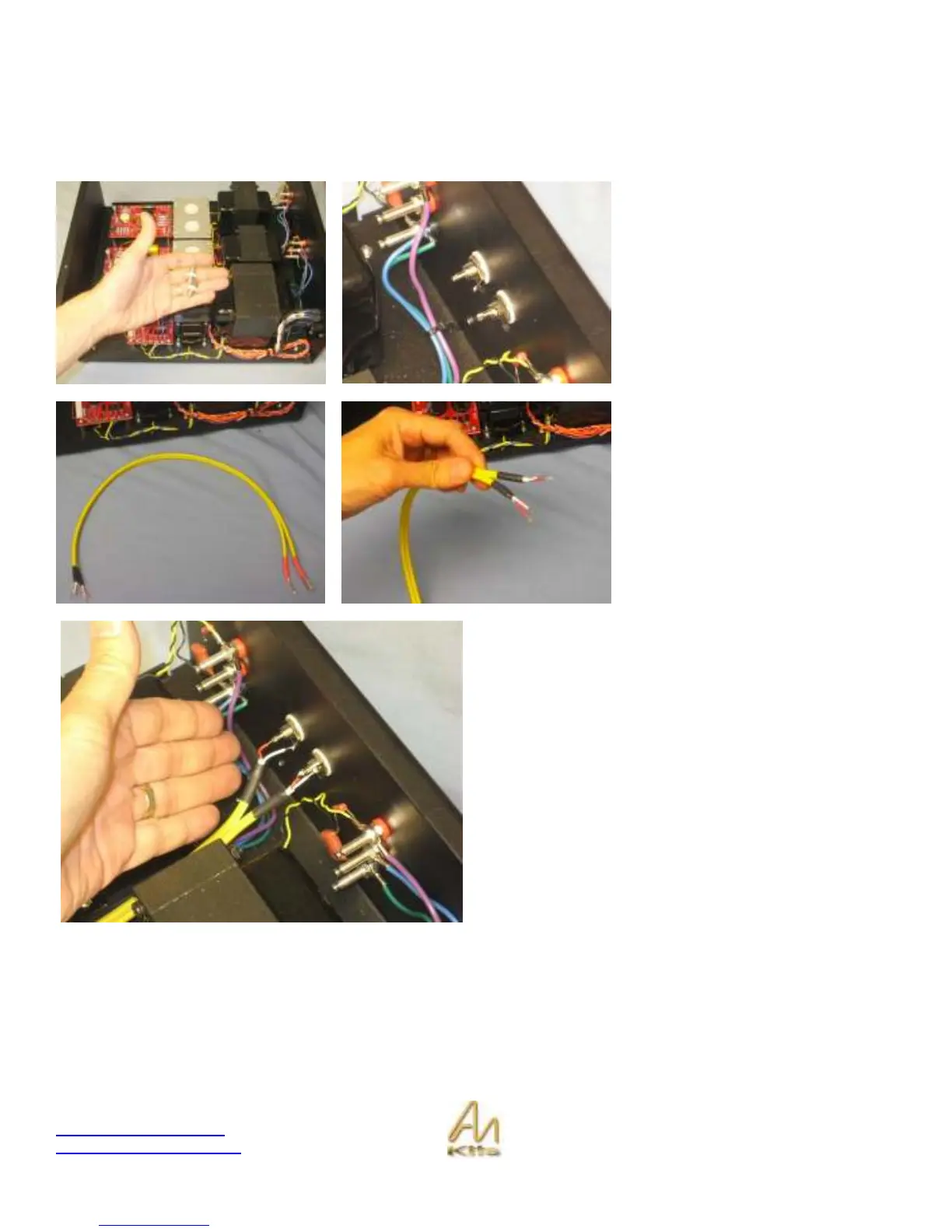
One of our last steps now is to install the input AN-A cable – this is the shielded cable that will take the input audio signal
into the ECF80 driver boards.
The first step is to install the two RCA
posts in the back of the unit - making
sure that they do not short to the
chassis.
Once tightened, bend the earth lugs
up slightly as show in the central
picture.
Here you can see the prepared AN-A
cable.
One end has a red and a white lead.
These will connect to the RCA’s - the
red is the audio signal and the white is
the ground.
The other end has a red lead and a
GROUND – these will connect to the
ECF80 board.
The first step is to connect the end with the Red and White
leads to the RCA sockets.
The White lead connects to the RCA GND lug and the Red
lead connects to the central signal lug.



 To Next Page