INSTALLATION and POWER
page 1 – 10
D-75 / Sep 2004
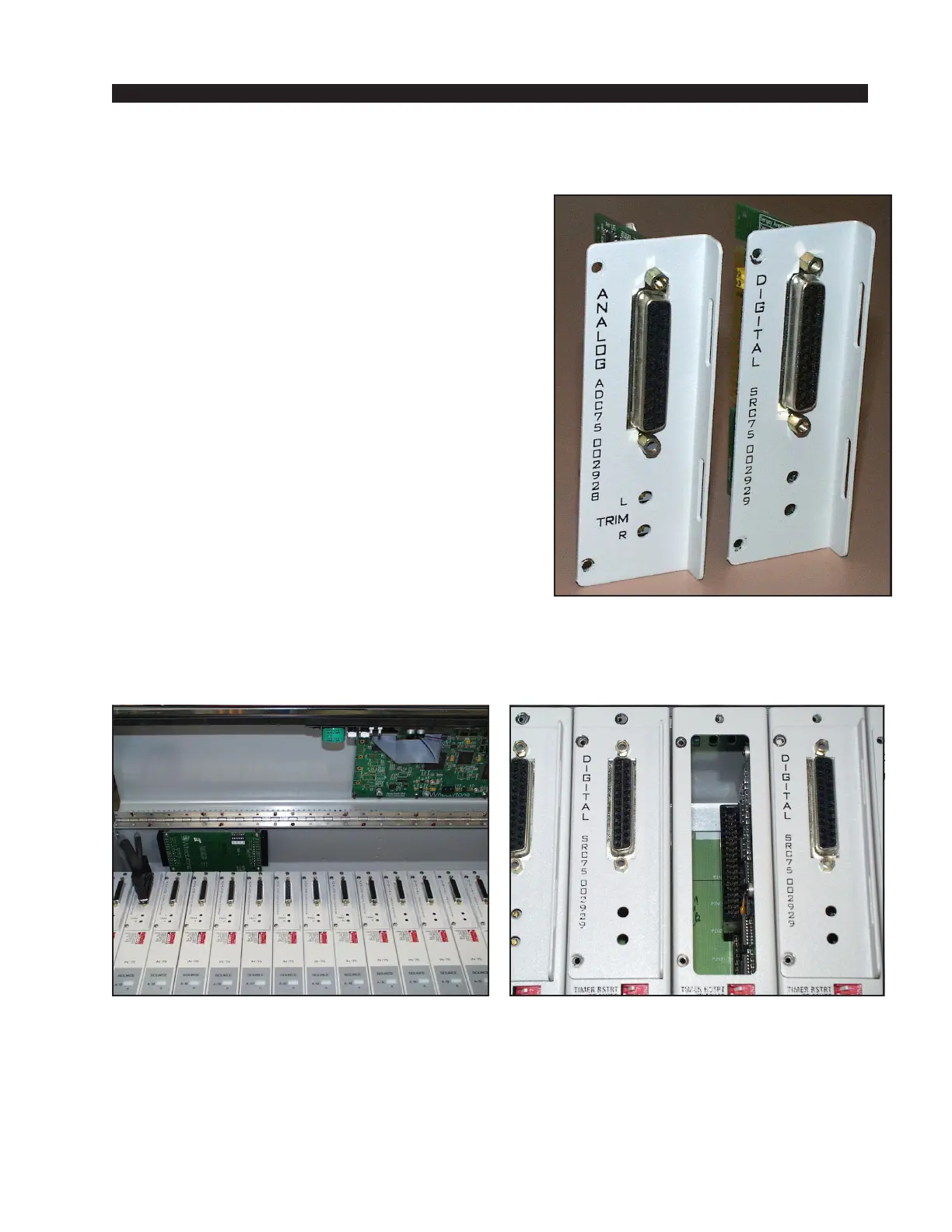
Input Daughter Cards Installation
The console’s two different types of input daughter cards (Figure 1) are shipped in a separate
package, as specified in your order:
• ANALOG ADC-75 (W#002928) daughter card;
• DIGITAL SRC-75 (W#002929) daughter card.
These are used to configure the inputs of the
console to match the different types of signal sources
(analog in, or digital in).
To install console’s daughter cards you must
follow this procedure:
• Make sure the console is powered down.
• Open the meterbridge by simply swinging it up
and back until it rests in a fully opened position
(Figure 2).
• Plug in the daughter card’s edgecard fingers to
the appropriate IN-75 edge connector (Figure 3), and
tighten it down with the two supplied Phillips serrated
panhead screws (included in the console’s connector
kit).
Note: To provide a better ground contact, tighten
down the serrated screws, then unscrew them a little
bit and tighten again. This procedure will remove
paint from the face of the daughter card under the
screw head and provide a better metal surface contact.
• Close the meterbridge.
NOTE regarding the SRC-75 digital input daughter card: The SRC-75 has two slide
switches that are used to toggle the digital input impedance between 110 ohms (for AES inputs)
and 75 ohms (for SPDIF inputs). SW1 affects the B input and SW2 affects the A input. Flip the
switch to the ON position for a SPDIF input or to the OFF position for an AES input. In addition
to using the switch, the input must be wired correctly — see Digital Audio Connections on page
1-6 and 1-7.
page 1 – 7a
D-75 / Apr 2008
Figure 1. Two types of input daughter cards.
Figure 3. Module edge connector.Figure 2. Open the meterbridge.



 To Next Page