101
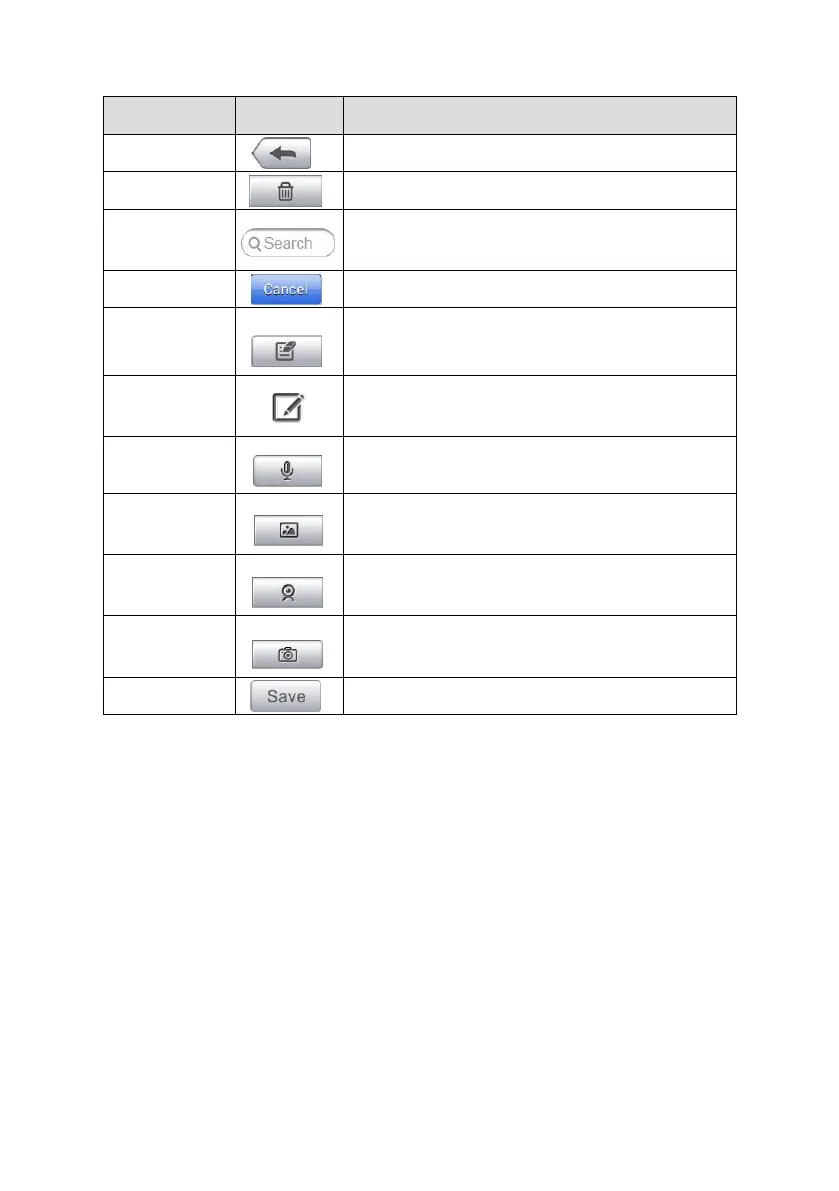
Table 13-2 Function Buttons in History Notes
Return to the previous screen.
Tap to delete the selected note.
Quickly locates a note by entering
related text.
Tap to cancel edit or file search.
Tap to open an edit window to edit
notes and attach files.
Tap to add new note in History Notes.
Tap to start audio recording.
Tap to locate and add image to History
Notes.
Tap to record a video and add the file
to History Notes.
Take a photo and add the file to History
Notes.
To add a note in History Notes
1. Access History Notes.
2. Tap Add Notes. An editable window displays.
3. Tap on the Title bar to input a note title.
4. Tap on the blank space below to edit a text note or remark.
5. Select a function button on the top to add files in any form you choose.
6. Tap Save to save the note; tap Discard or Cancel to exit without saving.














 To Next Page