24
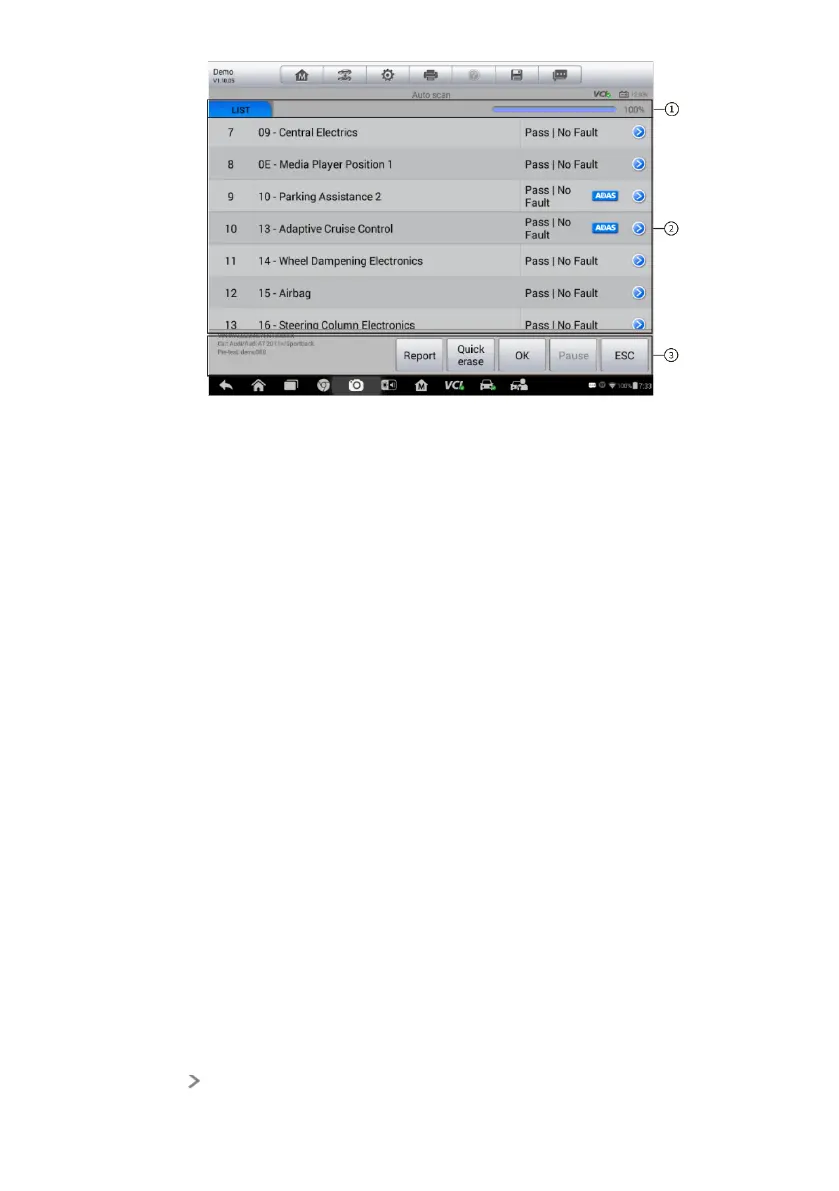
Figure 4-2 Sample Auto Scan Operation Screen
1. Navigation Bar
2. Main Section
3. Functional Buttons
Navigation Bar
1. List Tab – displays the scanned data in list format.
2. Progress Bar – indicates the test progress.
Main Section
Column 1 – displays the system numbers.
Column 2 – displays the scanned systems.
Column 3 – displays the diagnostic marks indicating different conditions of the
test result.
-!-: Indicates that the scanned system may not support the code reading
function, or there is a communication error between the tester and the
control system.
-?-: Indicates that the vehicle control system has been detected, but the
tester cannot accurately locate it.
Fault | #: Indicates there is/are detected fault code(s) present; “#”
indicates the number of the detected faults.
Pass | No Fault: Indicates the system has passed the scanning process
and no fault has been detected.
Tab the button to the right of the system item, on which you want to














 To Next Page