46
monitor status prior to emissions certification testing, verify repairs, and
perform a number of other services that are emissions-related. The OBD direct
access option is also used for testing OBD II/EOBD compliant vehicles that
are not included in the Diagnostics database. Functions of the diagnostics
toolbar buttons at the top of the screen are the same as those available for
specific vehicle diagnostics. See Table 4-1 Diagnostics Toolbar Buttons on
page 19 for details.
General Procedure
To access the OBD II/EOBD diagnostics functions
1. Tap the Diagnostics application button from the MaxiSys Job Menu. The
Vehicle Menu displays.
2. Tap the EOBD button. There are two options to establish communication
with the vehicle.
Auto Scan – select it to establish communication using each protocol in
order to determine which one the vehicle is broadcasting on.
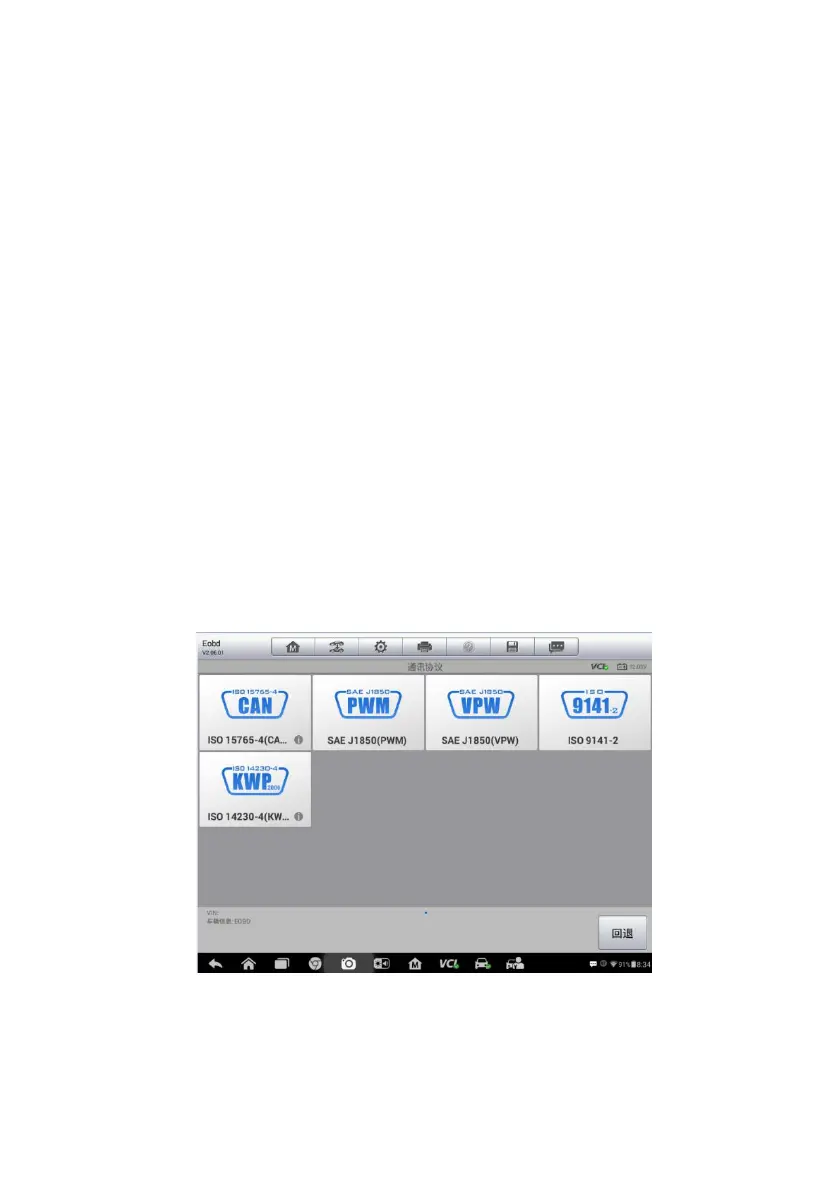
Protocol – select it to open a submenu of various protocols. A
communication protocol is a standardized way of data communication
between an ECM and a diagnostic tool. Global OBD may use several
different communication protocols.
3. Select a specific protocol if the Protocol option is selected.
Figure 4-20 Sample Protocol Menu














 To Next Page