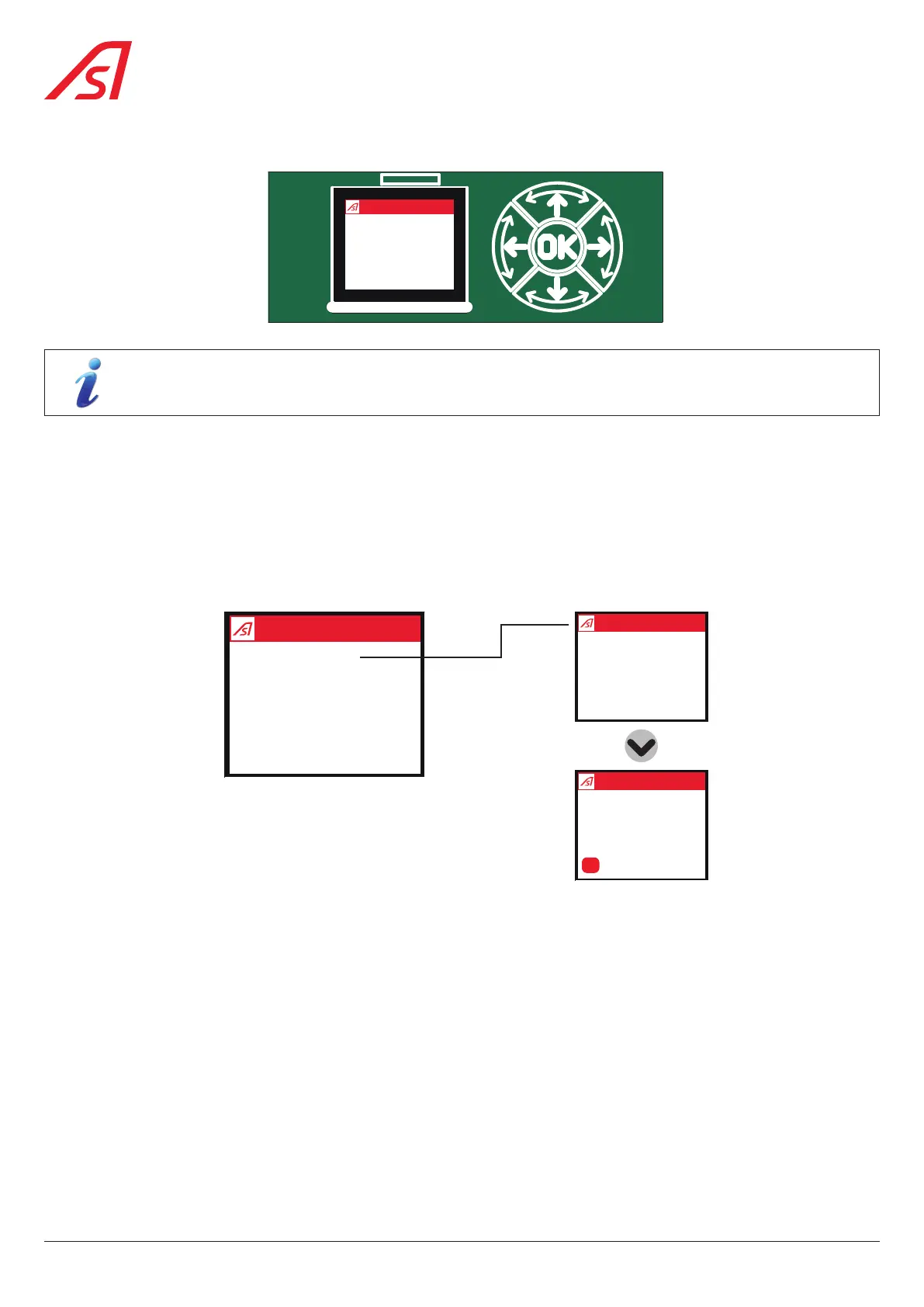
7.7.3. USING THE AS1621 OLED DISPLAY (OPTION)
AS1621R03
CN1
VOPAC
Status OK
Menu
The Calibration menu, End positions option, makes sense only when an angular analog sensor is installed inside
the mechanism. The barrier will slowly rotate from down to up position and the logic board will memorize the up
and down sensor value.
Calibrate the analogue sensor:
a. Press and hold the 'OK' button for few seconds (from 3 to 10 seconds) to activate the display;
b. Press the up (1) and down (3) buttons to activate the 'Menu' and press 'OK' to confirm your selection;
c. Press the up (1) and down (3) buttons to activate the menu 'Calibration' and press 'OK' to confirm your selection.
d. When the calibration is completed, the result is displayed on the OLED display.
Menu
Commands
Settings
Counters
Calibration
System
Calibration
On going ...
Calibration
ConfirmOK
End positions
Yes
If calibration fails, return to step 3. The analog sensor is not correctly positioned.
36
BL 229


 To Next Page