7.8. CONFIGURING THE FREQUENCY CONVERTER
The factory settings allow the frequency drive and gear motor to be protected against all malfunctions. These values should
therefore not be changed under any circumstances.
ANY CHANGES TO THESE PARAMETERS WITHOUT HAVING THE EXPRESS PERMISSION OF AUTOMATIC SYSTEMS,
IS YOUR RESPONSIBILITY AND WILL VOID THE PRODUCT WARRANTY
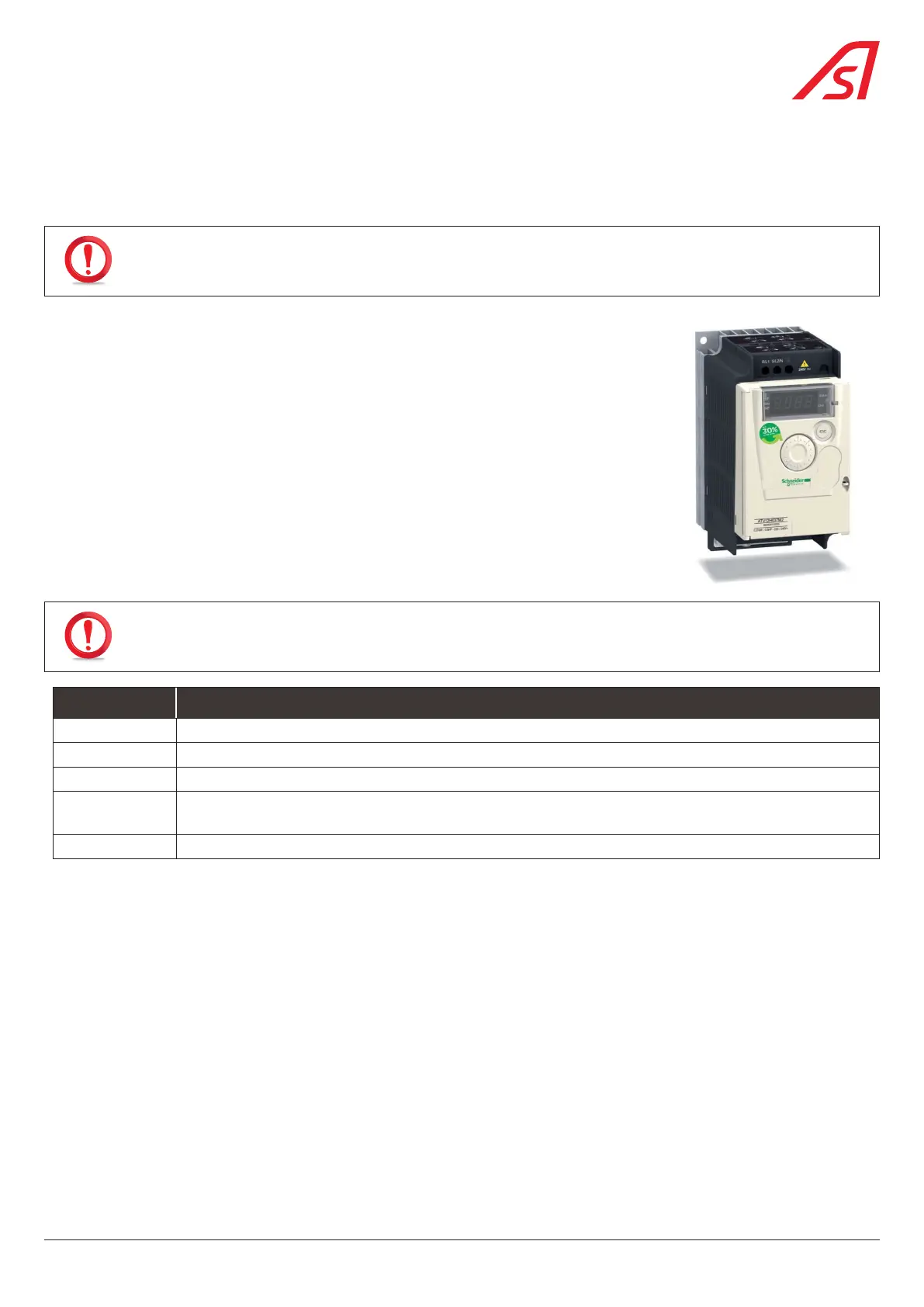
The frequency converter is a Schneider Altivar ATV12 connected in Modbus.
Configuration is performed via Modbus. The only parameters to be entered manually are the
Modbus address (add = 1) and the baud rate (tbr = 38400), which can be accessed via the
configuration menu:
COnF
Frl
Mdb
COnF
FULL
CON
Add = 1
tbr = 38400
Turn the power OFF then ON to activate the modifications.
7.8.1. MAIN ERROR MESSAGES
In case of failure, the frequency converter can indicate the origin of the fault via codes.
The most common are described below.
AFTER A POWER FAILURE, THE CODE DISAPPEARS AND IS NO LONGER READABLE ONCE THE GATE HAS RESTARTED.
THEREFORE, IT IS IMPERATIVE TO NOTE THESE ADDRESSES BEFORE RESETTING THE BARRIER!
CODE DESCRIPTION
OHF Overheating of the frequency converter.
OLF Overloading of the gear motor.
ObF Excessive braking.
SLF1 Modbus communication fail: check that the cable connecting the control logic and the frequency driver
is connected properly.
OPF1 Loss one phase at the frequency converter output.
37
BL 229


 To Next Page