S6L Network Connections 32
3. Multiple Stage I/O Units
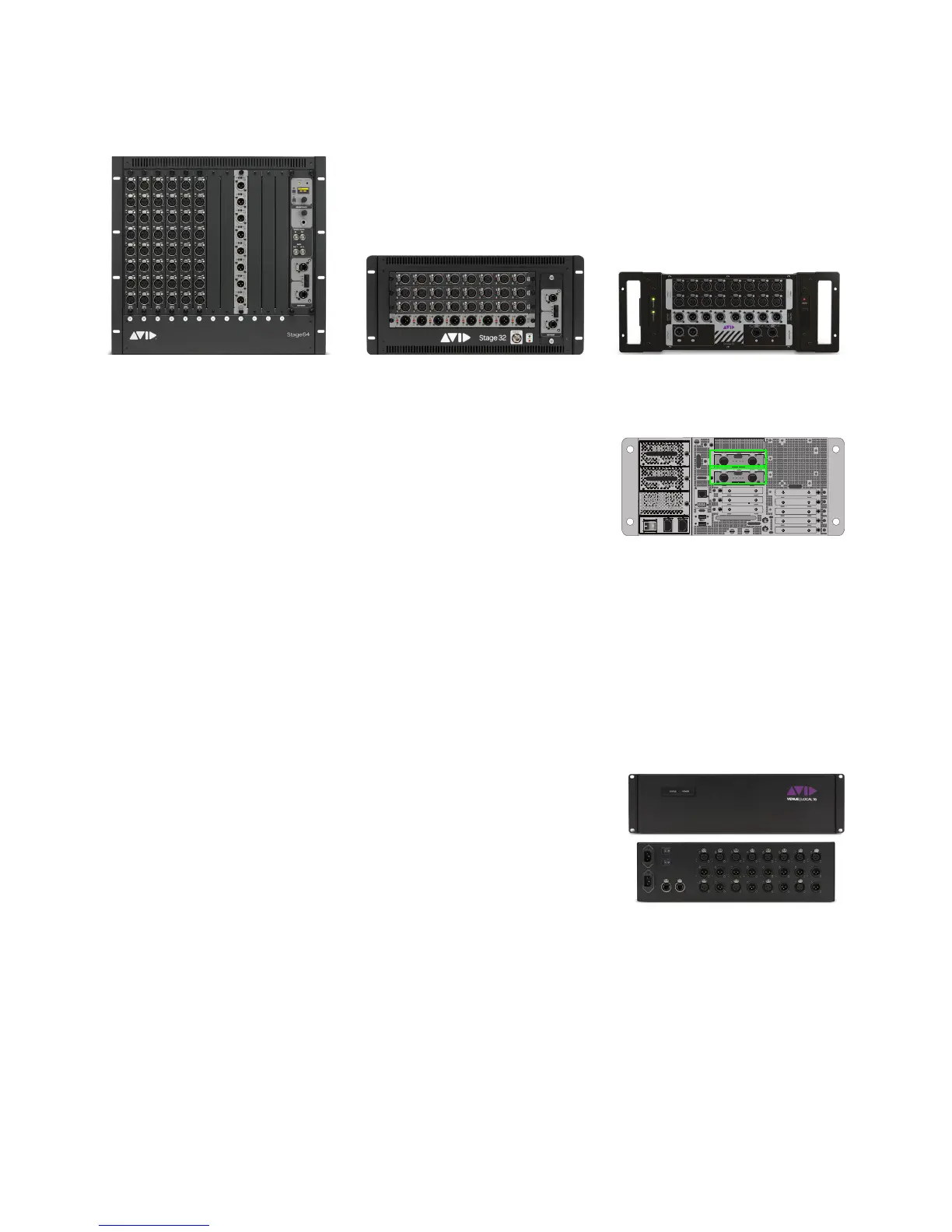
S6L systems support multiple I/O units of different types, up to a maximum of 6 units and a maximum of 192 inputs. Stage I/O units
include Stage 64, Stage 32, and Stage 16.
4. AVB-192 Network Cards
Expanded I/O refers to configurations that include more than 2x Stage 64s, or any num-
ber of Stage 32s or Stage 16s. Expanded I/O configurations require 2x AVB-192
Network Cards in the E6L engine. 2x AVB-192 Network Cards are also required for
128-channel Pro Tools AVB, and to utilize I/O Sharing.
Some systems, such as S6L 24C-112-Stage 16 or similar, require that you install the in-
cluded, additional AVB-192 Network Card in the E6L engine before proceeding. See
the AVB-192 Network Card Installation Guide (included with the card) for instructions,
then return here to install your system.
5. Connection Guidelines for Multiple Stage I/O Units
Stage I/O units can be physically connected in any order. Later, when arranging connected units in the Options > Devices page of
VENUE software, you will configure multiple Stage IO units by type. For example, in
Options > Devices you will be shown how
to configure all Stage 64s (if multiple) first in the
CONNECTED column, followed by Stage 32s (if any), followed by Stage 16s
(if any). For more information, see
Virtual Soundcheck: Important Note.
6. Local 16 I/O
Local 16 I/O can be connected to provide I/O at the mix position when using S6L-16C,
or additional mix position I/O with other S6L control surfaces. Local 16 requires 2x
AVB-192 Network Cards in the E6L engine, and must be connected on the local (con-
sole-to-E6L) ring.
For an example configuration that includes Local 16, see
Example 6: Single System
Expanded I/O (Mixed Stage I/O and Local 16)
.
7. I/O Sharing
The VENUE S6L system lets you share the Stage inputs and outputs of connected Stage I/O units between two E6L engines and
two S6L control surfaces.
If you will be using I/O sharing, follow these guidelines:
• Both systems must be running the same version of VENUE software.
• Make sure systems are not connected for I/O sharing while installing a Software Update or performing a System Restore.
• After verifying installation and confirming that each system is successfully running the same version of VENUE software,
follow the instructions in
Example 7: Dual Systems for I/O Sharing.
Figure 2. Stage 64, Stage 32, and Stage 16
IN
OUT
NETWORK
MASTER 1
WORD CLOCK
UTIL
EXPANSION
2
3
6
7
8
1
2
3
4
5
OKOK
A
B
AVB-192
ACT SIG ACT SIG
ACT SIG ACT SIG
A
B
AVB-192
ACT SIG ACT SIG
ACT SIG ACT SIG
A
B
E6L with 2x AVB-192 Network Cards



 To Next Page