Powering Up and Configuring the System 45
Confirming System Components
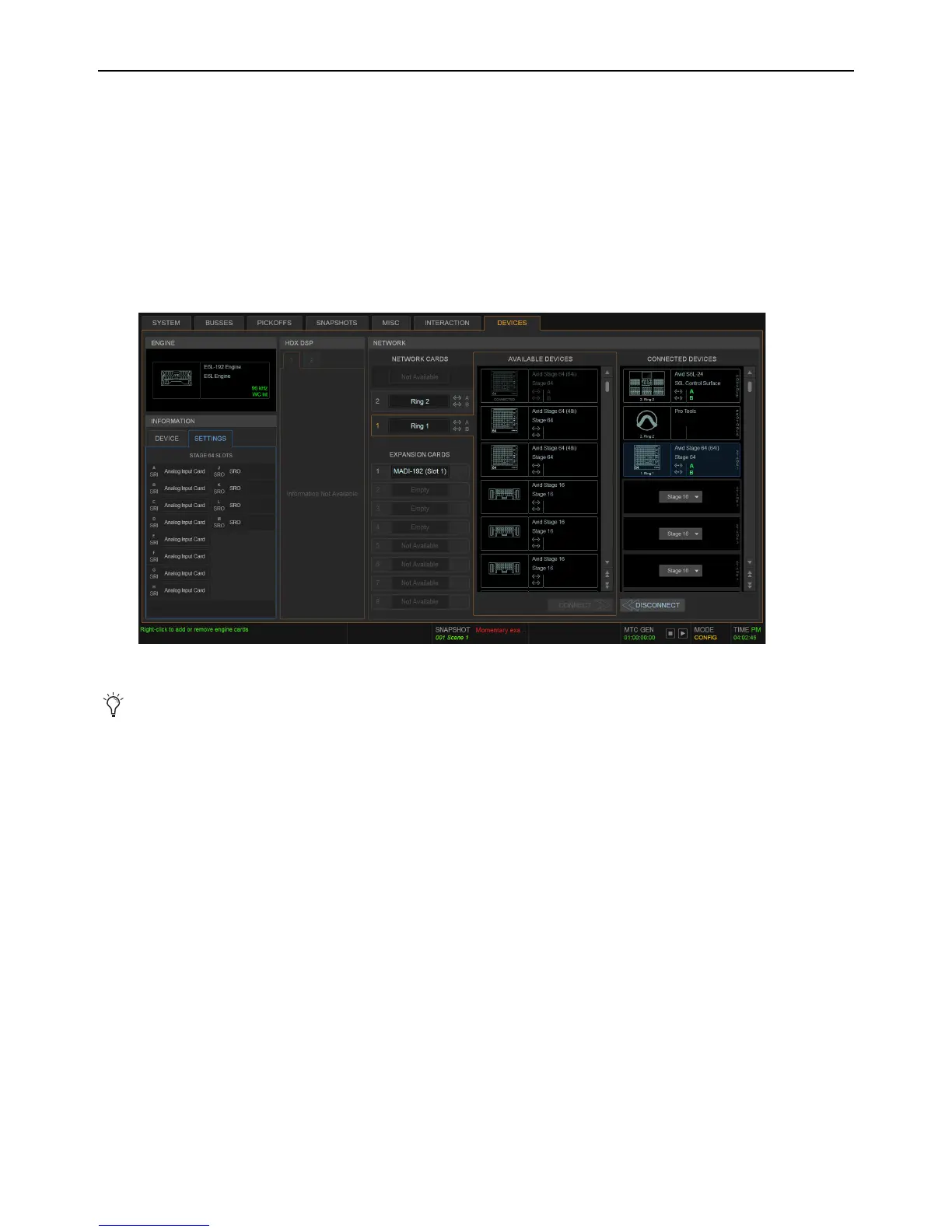
After connecting and powering up system components, you can confirm and configure system components on the Options > De-
vices page of the VENUE software screen.
To confirm system components:
1 On the external screen, select the Options button, then select the Devices tab.
All connected and powered on system components appear on the Devices page. The Devices page lets you connect and trouble-
shoot system components, view their status, and edit hardware settings.
If you are configuring a system for the first time, the
Connected Devices column will only show the currently connected S6L
control surface. You will “connect” Stage I/O units later after you first pair the E6L and S6L.
2 Proceed to Pairing the E6L and S6L.
Options > Devices tab
If any components do not appear, check all network connections between components, and make sure all components are pow-
ered on. For more information see the Troubleshooting section of the VENUE S6L System Guide.pdf



 To Next Page